Why Your Browser Extensions Might Be a Security Liability (And How to Fix It)
We often treat our browsers like digital junk drawers. You find a tool that solves a minor annoyance—maybe a JSON formatter or a tab manager—and you click "Add to Chrome" without a second thought. But for indie makers, developers, and writers, those extensions are more than just productivity boosters; they are potential gateways to your private data, API keys, and work-in-progress projects.
If you’ve ever felt uneasy about the "read and change all your data on the websites you visit" warning that pops up during installation, you aren’t alone. The reality is that many browser extensions are black boxes, and it’s time we started auditing our toolbelts with the same rigor we apply to our own codebases.
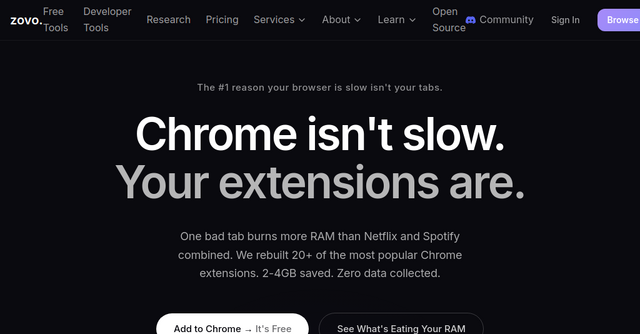
Enter Zovo, an ecosystem that tackles browser security from two angles: providing a suite of high-quality, privacy-first tools and offering a robust scanner to vet the extensions already sitting in your browser.
What is Zovo?
Zovo is the brainchild of a solo developer with over a decade of experience and a track record of building tools that people actually use. It functions as both a curated suite of privacy-first productivity tools and a comprehensive security scanner.
Whether you are a developer looking for a reliable Regex tester or a writer needing a native-level language assistant, Zovo offers a "one-sub-unlocks-all" model. More importantly, it is built on a philosophy of "no data harvesting." In an era where "free" often means you are the product, Zovo’s approach—where data never leaves your device—is a breath of fresh air for privacy-conscious professionals.
The Zovo Scanner: Auditing Your Browser’s Health
Before you add more tools, you need to clean up what you already have. The Zovo Scanner is a free, powerful utility that allows you to paste any Chrome Web Store URL to get a deep-dive safety report in seconds.
Why the Scanner Matters
Most users don't have the time to manually audit the manifest files of every extension they install. Zovo automates this by providing:
- Permission Analysis: It breaks down exactly what an extension is asking for in plain English. No more guessing why a simple calculator app needs access to your browser history.
- Safety Scoring (0-100): This metric isn't arbitrary. It’s calculated based on update frequency, developer reputation, data access patterns, and even Manifest V3 compatibility.
- Alternative Suggestions: This is the "killer feature." If you find that one of your current extensions has red flags, Zovo suggests safer, privacy-focused alternatives that perform the same function.
Real-World Use Cases
Imagine you’re a developer using a popular, yet bloated, JSON formatter. You run it through the Zovo Scanner and realize it has permissions that could theoretically access your local web development environment. Zovo can point you toward a more secure, lightweight alternative that doesn't overstep its boundaries.
Or, consider the common debate: Grammarly vs. LanguageTool. If you’re handling sensitive client contracts, you might want to know which one is actually respecting your privacy. Zovo’s side-by-side comparison features allow you to weigh these choices based on data practices rather than marketing claims.
A Privacy-First Suite of Tools
Once your browser is audited and secure, you might be looking to replace those "risky" extensions with ones you can trust. Zovo’s own suite of 20+ browser extensions is built for the professional who values performance and privacy.
Flagship Tools for Productivity
The suite is designed specifically for the indie crowd. Here are a few standouts:
- BeLikeNative: This is the flagship tool, helping over 3,300 users write like native speakers. With one-keystroke rewrites in 80 languages, it’s a massive time-saver for international communication.
- Dev-Centric Utilities: Tools like the JSON Formatter Pro, Regex Tester Pro, and API Testing Lite are built by a developer for developers. They are lightweight, focused, and—most importantly—don't phone home with your data.
- Workflow Management: With Tab Suspender Pro, Clipboard History Pro, and Session Manager Pro, you can manage a chaotic browser environment without sacrificing system memory or privacy.
Why the "Privacy-First" Label Matters
When you use a Zovo extension, your data stays local. There are no investors pushing for data monetization, and there is no hidden tracking. As a user, you aren't just a number; you are part of a community where users vote on features and help shape the roadmap. If you need a specific tool or a tweak to an existing one, you have a direct line to a developer who actually ships new tools monthly.
Why Indie Makers Should Care
As solopreneurs and indie makers, we often rely on third-party tools to keep our businesses moving. However, using insecure tools introduces a supply-chain risk to your own projects. If an extension you use for "convenience" is compromised, your API keys, source code, or customer data could be at risk.
Using a tool like Zovo isn't just about "being careful"—it’s about professional due diligence. By using privacy-first tools, you ensure that your workflow is secure, performant, and under your control.
How to Get Started
If you’re ready to clean up your digital workspace, here is the best way to get started with Zovo:
- Run a Security Audit: Head over to the Zovo Scanner and run a report on your most-used extensions. If you see any with low safety scores, start looking for the alternatives Zovo recommends.
- Explore the Suite: Check out the full list of browser extensions available in the Zovo collection. Whether you need help with writing or raw development tasks, there’s likely a privacy-first version waiting for you.
- Join the Community: Because new tools are shipped monthly, staying connected with the Zovo roadmap ensures you’re always using the most efficient, modern, and secure tools available.
Stop letting insecure browser extensions compromise your workflow. Take control of your privacy today—head over to Zovo and see what’s actually happening under the hood of your browser.