Why Your Visual Content Needs a Stylistic Edge: A Deep Dive into Lovnib
Design software can be intimidating. Whether you are building a landing page for a new SaaS, creating a personalized gift for a client, or trying to add a unique aesthetic to your social media feed, the barrier between "having a photo" and "having a piece of art" is usually a steep learning curve in Photoshop or Illustrator.
I recently stumbled upon a tool that bridges that gap effortlessly. If you’ve ever wanted to turn a standard product shot into a clean line drawing or a portrait into a sophisticated pencil sketch without spending hours in complex editing suites, Lovnib is the solution you’ve been looking for.
Beyond the Generic Filter: What Makes Lovnib Different?
We’ve all seen "sketch" filters before. They usually involve a basic edge-detection algorithm that turns your photo into a noisy, pixelated mess. The lines look mechanical, the shading is flat, and the final output often looks like an obvious amateur edit.
Lovnib is different because it uses AI to interpret the subject matter before it ever lays down a stroke. It isn’t just slapping a texture overlay on your file; it is analyzing the contours, the depth, and the light source of your original image. Because the AI understands the composition, the resulting lines follow the actual form of the subject. This is a game-changer for indie makers who need high-quality, professional assets but don't have a background in digital illustration.
Versatile Styles for Every Project
One of the reasons this SaaS tool has earned a spot in my bookmark folder is its flexibility. You aren't limited to one "look." Depending on the project, you can toggle between several distinct artistic styles:
- Pencil Sketch: Perfect for soft, hand-drawn shading that maintains a human touch.
- Ink Line Art: This is my personal favorite for technical documentation or minimalist web design where you need clean, bold lines.
- Charcoal: Ideal for dramatic, high-contrast pieces that need a bit more grit.
- Cross Hatching: A classic technique that gives your imagery a sophisticated, drafted feel.
Whether you are working on a portrait, a pet photo, or a product shot for your latest launch, being able to switch styles instantly without re-uploading your image is a massive time-saver.
How to Convert an Image to a Sketch in Seconds
If you’re someone who values a streamlined workflow, you’ll appreciate how straightforward the process is. There is no bloatware to download and no complex settings menu to navigate. You can get professional results by following three simple steps:
- Upload Your Photo: Simply drag and drop your file into the interface.
- Generate Sketch: Select the style that fits your aesthetic—whether it's a pencil sketch or an ink drawing—and let the AI process the image.
- Download: Once the AI has rendered your line art, you can download the high-quality file immediately.
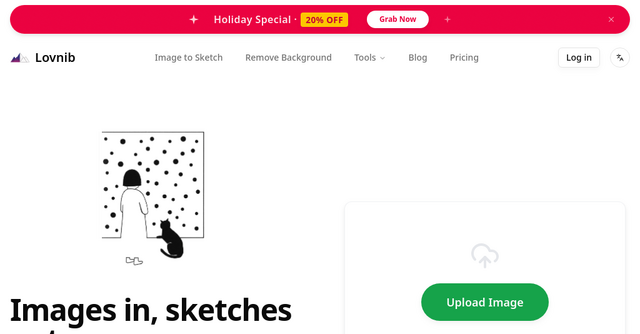
It’s an "images in, sketches out" philosophy that respects the user's time. You can try out the Image to Sketch tool yourself to see how quickly it handles even complex subjects.
Practical Use Cases for Indie Makers
Why would a developer or solopreneur need an AI sketch tool? The applications are surprisingly broad:
- Custom Avatars: Instead of the standard corporate headshot, use a stylized sketch to give your personal brand a unique, artistic identity.
- Product Mockups: If you are building a SaaS or a digital product, using clean line art for your feature highlights or "How it Works" sections can look much more intentional and branded than stock photography.
- Coloring Pages and Printables: If you’re building a content-based product or a lead magnet, quickly generating custom coloring pages or printable guides from existing assets is a great way to add value to your audience.
- Concept Boards: When you're in the early stages of design, Lovnib helps you strip away the distractions of color and texture so you can focus purely on the composition of your layout.
Best Practices for the Best Results
While the AI is powerful, you can get even better results by being intentional about the photos you feed into the system.
- Start with Quality: High-resolution photos preserve the details in hair, fur, and architectural edges. If the input is blurry, the output will lack the sharp, clean lines you’re likely aiming for.
- Watch the Lighting: Even, natural lighting works best. Harsh, dramatic shadows can sometimes be interpreted by the AI as heavy, thick lines. If you have a photo with uneven lighting, doing a quick contrast adjustment in your phone’s default editor before uploading can make a world of difference.
- Keep it Simple: While the AI can handle busy scenes, the cleanest results usually come from subjects that occupy most of the frame. If your subject is lost in a cluttered background, try cropping the image before you upload it.
A Note on Privacy and Security
In the current landscape of AI tools, privacy is a legitimate concern for creators. It’s refreshing to see that Lovnib takes a responsible approach to image handling. They don’t use your personal photos for commercial purposes, and the focus remains entirely on processing your specific request. For indie makers working on client projects, this professional approach to data handling is essential.
Final Thoughts: Add a Creative Touch to Your Workflow
As indie makers, we are often tasked with wearing many hats—developer, marketer, designer, and writer. Tools like Lovnib don't just save us time; they allow us to produce high-quality work that would otherwise require outsourcing or expensive software training.
If you are looking for a way to add professional, hand-drawn aesthetics to your website, social media, or digital products, I highly recommend giving this platform a try. It’s fast, it’s consistent, and most importantly, the results look like they were made by a person, not a machine.
Ready to see the difference for yourself? Head over to their website and transform your first photo into a stunning piece of sketch art today.