Stop Wrestling with Design Tools: How SurgePix Bridges the Gap Between AI Prompts and Polished Visuals
Your landing page is ready, your code is deployed, and your SaaS is live. But there’s one hurdle left: the visuals. You need a hero banner, a social media post to announce your launch, or a clear infographic to explain your product’s value. If you aren't a professional designer, you’re usually forced to choose between spending hours wrestling with complex software or settling for generic stock photos that don’t quite capture your brand.
This is the classic indie maker’s dilemma. We need high-quality assets to convert visitors, but we don't have the time or the budget to outsource every single design task.
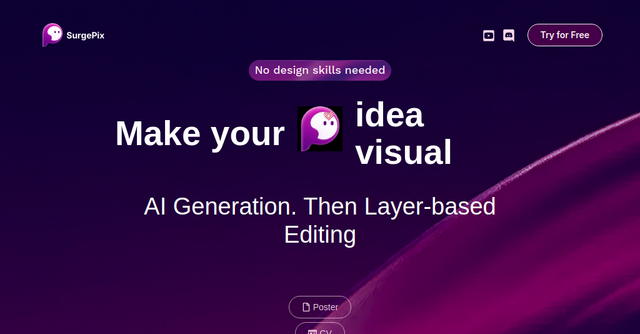
Enter SurgePix. It’s an AI visual generation platform that aims to solve the "last mile" problem of AI design: the inability to tweak what the AI gives you.
What is SurgePix?
At its core, SurgePix is a website tool designed to turn your text-based ideas into high-quality visual content. Unlike many AI image generators that give you a static, "take it or leave it" result, SurgePix introduces a layer-based editing system.
Think of it as a hybrid between a powerful AI prompt engine and a simplified graphic design suite. It’s built for solopreneurs, marketers, and indie founders who need to produce professional-looking assets—like CVs, diagrams, social media posts, and banners—without needing a background in Adobe Creative Cloud or Figma.
Why Layer-Based Editing Changes the Game
If you’ve experimented with tools like Midjourney or DALL-E, you know the frustration of getting a near-perfect image, only to realize the text is misspelled or a specific element is slightly off-center. Usually, you’re forced to re-roll the prompt dozens of times, hoping for a "lucky" output.
SurgePix changes this workflow by focusing on layer-based editing. Once the AI generates your base visual, you aren't stuck with a flat image. You can interact with the different elements, fine-tuning the composition to match your exact requirements.
For an indie maker, this is a massive time-saver. You get the speed of AI generation with the control of a manual editor. You can generate a base diagram for your SaaS documentation and then adjust the layers to ensure the branding matches your site, all within the same SurgePix interface.
Key Features for Indie Founders
When you’re building a product, your time is your most valuable currency. Here is why SurgePix stands out as a practical tool for your tech stack:
1. Text-to-Visual Generation
The engine is designed to interpret your intent. Whether you need a sleek banner for a product update or an infographic to explain your SaaS pricing tiers, you simply describe it in text. The AI handles the heavy lifting, serving as a creative partner that helps you overcome the "blank canvas" syndrome.
2. Fine-Tuning Without Design Skills
This is the platform's "killer feature." By allowing users to edit via layers, SurgePix removes the steep learning curve associated with professional design software. You don’t need to understand vector paths or complex masking. If you can move an object or adjust a layer, you can create professional collateral.
3. Broad Utility for SaaS Growth
The tool isn't limited to one type of visual. Because it’s a versatile website-based platform, you can use it for:
- Social Media Posts: Create consistent, eye-catching graphics for your Twitter (X) or LinkedIn launch announcements.
- Infographics & Diagrams: Visualize your product’s architecture or value proposition for your landing page.
- Banners & Hero Images: Enhance your website’s conversion rate with custom imagery that aligns with your brand.
- Professional CVs: Build a standout portfolio or personal brand page to establish authority in your niche.
Practical Use Cases for Your Business
Let’s look at how you might integrate SurgePix into your daily workflow.
Scenario A: The Launch Day Blitz You’re launching a new feature. You need three different social media posts, a blog header, and an updated hero image for your landing page. Instead of hiring a freelancer, you use SurgePix to generate the base concepts. You then use the layer editor to swap in your specific brand colors and add a clear call-to-action button or text overlay. You’ve gone from "idea" to "published" in less than an hour.
Scenario B: Explaining Complex SaaS Logic You’re writing a blog post about how your software integrates with a third-party API. A stock photo won't cut it. You use the prompt engine to create a clean, modern diagram, then use the layer tools to label the different nodes. It’s custom, it’s relevant, and it keeps your readers engaged without you having to be a technical illustrator.
Why Indie Makers Should Care
In the current market, speed is everything. The ability to iterate on your marketing assets as quickly as you iterate on your code is a competitive advantage.
Most indie makers are great at building products but often struggle with the "packaging." SurgePix acknowledges that you aren't a designer—and it doesn't try to make you one. Instead, it gives you the tools to bridge the gap between "good enough" and "professional quality."
By keeping your entire design workflow inside one browser-based tool, you reduce the friction of switching between apps and managing various file exports. It’s a lean, efficient way to handle your visual presence.
Final Thoughts: Should You Use It?
If you find yourself frequently buying stock images that don't quite fit, or if you find yourself spending hours in complex design tools just to move a few elements around, SurgePix is worth a look.
It’s built for the person who needs to get things done quickly, efficiently, and at a high standard. It doesn't promise to replace human creativity; it promises to give you the leverage to execute your vision without the barrier of design complexity.
Ready to see what you can create?
Head over to SurgePix today and try generating your first asset. Whether it's a new hero banner for your SaaS or a social media graphic for your next update, you might find that your design bottleneck is finally a thing of the past.