Stop Treating Newsletters Like Tasks: Meet Letterboxx, Your New Dedicated Reading Library
Your email inbox is a battlefield. Between urgent client requests, project management notifications, and the relentless creep of spam, it’s where productivity goes to die. Yet, we continue to funnel our most valuable long-form content—the deep-dive industry research, the insightful essays, and the niche newsletters we actually want to read—into that same chaotic space.
It’s a fundamental mismatch of intent. Email is a communication tool designed for triage, replying, and "reaching zero." Newsletters, on the other hand, are intellectual assets. They are meant to be savored, searched, and revisited.
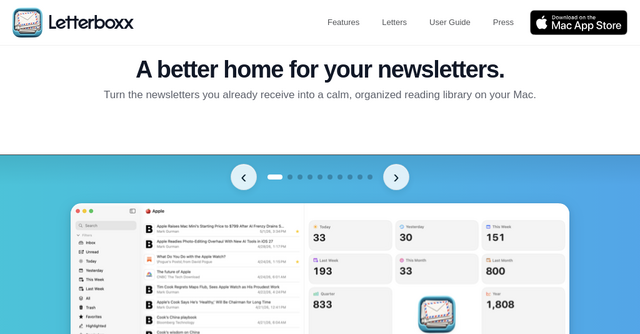
If you’ve ever felt the guilt of seeing an unread newsletter turn into an obsolete task, you know the problem. Letterboxx is the solution. It is a premium macOS application built specifically to liberate your newsletters from the inbox and transform them into an organized, distraction-free library.
What is Letterboxx?
At its core, Letterboxx is a local-first SaaS tool for Mac users that acts as a dedicated home for your email subscriptions. Instead of requiring you to forward your mail to a third-party service or change your existing email address, Letterboxx connects directly to your Gmail, Outlook, or IMAP accounts.
It imports copies of the newsletters you choose, leaving the originals untouched on your server. Once imported, the app strips away the clutter, trackers, and ads, presenting you with a clean, readable, and highly searchable archive. It doesn't try to be an email client—it refuses to handle replies, forwards, or composition—because it understands that when you are reading, you shouldn't be working.
Why Your Inbox is the Wrong Place for Newsletters
We often treat newsletters like chores. They sit in our inbox as "unread" items, competing for mental energy alongside urgent emails. This leads to "inbox anxiety," where the act of learning becomes just another item on your to-do list.
Letterboxx changes the psychology of consumption. By moving your newsletters to a dedicated workspace, you decouple your reading time from your working time. When you open Letterboxx, you aren’t "checking email"—you are entering a library. You are there to learn, reflect, and digest information on your own terms.
Key Features That Make Letterboxx a Must-Have
1. Clean View: Reading Without the Noise
Newsletter publishers often cram their emails with trackers, social media embeds, and intrusive advertisements. Letterboxx features a "Clean View" that acts as a digital filter. It trims the fluff, leaving you with just the text and imagery that matters. It makes long-form content feel significantly more accessible and less visually overwhelming, which is a game-changer for those who subscribe to research-heavy or technical publications.
2. Custom Letterboxxes and Smart Sorting
One of the most powerful features of this macOS app is the ability to create "Letterboxxes"—essentially smart folders for your content. You can set up automatic delivery rules that route specific newsletters into folders based on topics like "Design," "Market Research," "Coding," or "Personal Development." Instead of a single, never-ending feed of mixed content, you get a curated dashboard that matches your current focus.
3. Highlighting and Searchability
How many times have you read a brilliant insight in a newsletter, only to lose it forever in the depths of your "Promotions" tab? Letterboxx turns your collection into a searchable database. You can highlight key passages in familiar colors, add reminders, and search across years of archives. It effectively turns your fleeting email subscriptions into a permanent, personal knowledge base.
4. Privacy-First Philosophy
In an era of SaaS tools that live entirely in the cloud and harvest user data, Letterboxx takes a refreshing, privacy-focused approach. Your library is stored locally on your Mac. The app doesn't include social features, ad-tracking, or data-selling mechanisms. It uses encrypted backups to ensure that your carefully curated library stays yours, safe and secure, even if you lose your machine or need to switch devices.
Practical Use Cases for the Modern Indie Maker
If you’re a solopreneur or a builder, your time is your most expensive asset. Here is how Letterboxx can fit into your workflow:
- The Competitive Intelligence Folder: Route all industry-specific newsletters into a dedicated "Competitor Research" Letterboxx. Use the search function to look back at how a specific company’s messaging has pivoted over the last six months.
- The "Deep Work" Reading Hour: Instead of checking your email during your morning coffee, open your "Professional Development" Letterboxx. Process the content you’ve saved, highlight the actionable takeaways, and start your day with insights rather than inbox triage.
- The Archive for Inspiration: If you are a designer or a developer, you likely subscribe to many visual or technical digests. Use Letterboxx to build a searchable reference library of code snippets, UI patterns, or design trends that you can pull from when you hit a creative block.
A Native Experience for Mac Users
Because Letterboxx is built specifically for macOS, it feels like a natural extension of your operating system. It supports native keyboard shortcuts, multiple visual themes (including an E-Ink mode for those long reading sessions), and a clean, high-density interface. You can customize the look and feel—from the typography to the badge icons—to make the workspace feel genuinely like your own.
Final Thoughts: Reclaim Your Attention
We are living through a golden age of high-quality, independent publishing. Newsletters are arguably the most valuable medium for learning today, but we are currently using an outdated delivery system—email—to manage them.
Letterboxx doesn’t just organize your mail; it respects your attention. It acknowledges that reading is a distinct activity from emailing and provides a sanctuary for the content that actually helps you grow. If you’re ready to stop triaging your reading and start actually consuming the content you’ve subscribed to, it’s time to move your collection out of the inbox.
You can download Letterboxx for Mac and take advantage of their 14-day free trial to see how it transforms your reading habits. It’s time to build a library, not a chore list.