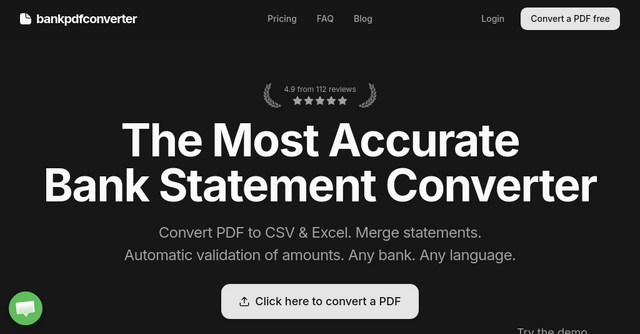
Stop Manual Data Entry: Why Bank PDF Converter is a Game Changer for Your Workflow
If you’ve ever spent a Sunday afternoon squinting at a blurry PDF bank statement, trying to manually type numbers into a spreadsheet, you know the soul-crushing reality of financial bookkeeping. It’s tedious, it’s prone to human error, and frankly, it’s a waste of your professional time. Whether you are a CPA managing dozens of client files, an attorney handling forensic accounting, or a business owner trying to reconcile your own books, the bottleneck is almost always the same: getting data out of a static PDF and into a usable format like Excel or CSV.
Enter Bank PDF Converter. This SaaS tool isn't just another generic document converter; it’s a specialized engine built specifically to solve the headache of financial data extraction. It’s designed to turn those stubborn, uncooperative bank statements into clean, structured data without the typical transcription errors that keep accountants up at night.
What Exactly is Bank PDF Converter?
At its core, Bank PDF Converter is an AI-powered SaaS platform that transforms bank statement PDFs—whether they are text-based or scanned images—into clean, standardized Excel or CSV files.
While there are dozens of "PDF to Excel" tools on the internet, most of them treat a bank statement like any other document. They might get the table structure sort of right, but they often mangle the currency formatting or lose the precision of the transaction amounts. Bank PDF Converter is different. It understands the context of a financial statement, identifying the opening balance, closing balance, and individual line items, and then systematically validates them.
Why This Tool is Different: The Power of Validation
The most impressive feature of this tool is its automatic transaction validation. If you’ve ever used a simple OCR tool, you know the fear: did the software misread a "5" as an "8"? Did it miss a decimal point?
With Bank PDF Converter, the system verifies every single transaction against the opening and closing balances of the statement. This isn't just a "nice-to-have" feature; it’s a professional-grade necessity. By catching discrepancies before you even export the data, the tool saves you from the embarrassment of passing faulty spreadsheets to clients or tax authorities. This focus on accuracy is why it has become a staple for professionals who operate in environments where mistakes aren't an option.
Key Features for Power Users
Beyond basic conversion, the platform is built for actual, high-volume workflows. Here is why it stands out compared to other tools in the SaaS space:
1. Global Compatibility (Any Bank, Any Language)
One of the biggest pain points for firms with international clients is dealing with different banking standards. Some banks use commas for decimals; others use periods. Some statements are in English, while others might be in Spanish, French, or German. Bank PDF Converter handles these variations automatically. If you encounter a specific format that the AI doesn't pick up perfectly, the team offers support to tune the system, ensuring you aren't left stranded with a broken file.
2. Side-by-Side Comparison View
Before you commit to an export, the platform provides a side-by-side view. You can see the original PDF on one side and the extracted, parsed data on the other. This allows for a rapid "spot-check," giving you the human oversight needed to verify that the software interpreted the data correctly.
3. Batch Processing and Merging
If you are working on a year-end reconciliation, you don't want to export twelve separate files. You can upload multiple statements at once and use the merge feature to combine them into a single, clean CSV or Excel file. The tool even handles file naming automatically, using the statement date, bank name, and account holder to keep your local folders organized without you having to rename files manually.
4. Normalized Output
The final data is exported in a consistent three-column format: Date, Description, and Amount. Crucially, it handles debits and credits correctly—debits show as negative values and credits as positive. This standardized format is "plug-and-play" with QuickBooks, Google Sheets, and other accounting software, meaning you can stop reformatting columns and start doing actual analysis.
Security: The Invisible Requirement
When you are dealing with sensitive financial data, security is not just a feature—it’s the foundation. Bank PDF Converter takes this seriously. Files are encrypted both in transit and at rest using industry-standard protocols. Perhaps most importantly for privacy-conscious users, your data is automatically deleted on a recurring 72-hour cycle. You don’t have to worry about your clients' financial footprints lingering on a server indefinitely.
Who is This For?
This SaaS tool is a perfect fit for:
- CPAs and Tax Preparers: If you are bogged down by client documentation during tax season, this tool will shave hours off your manual entry time.
- Attorneys and Forensic Accountants: When accuracy is non-negotiable and you need to audit transactions, the validation feature provides the audit trail you need.
- Solopreneurs and Small Business Owners: If you’re tired of paying a bookkeeper for basic data entry or you're managing your own books, this tool makes the process manageable for a fraction of the cost of manual labor.
Getting Started
One of the best things about Bank PDF Converter is that it’s low-risk to test. They offer a free tier that lets you see how the system handles your specific bank's statements.
If you find yourself frequently dealing with "weird" or complex statements, I highly recommend checking out their live demo or uploading a sample file to see the validation in action. They offer tiered pricing based on your volume—starting from a Basic plan for light users up to Business plans for high-volume firms—all with the ability to cancel anytime.
Final Thoughts
We see a lot of tools here at IndieProducts.io, but it’s rare to find one that solves such a specific, painful problem with such elegance. Bank PDF Converter doesn't try to be a full accounting suite; it focuses on one thing—getting financial data out of PDFs accurately—and it does it exceptionally well.
If you’re ready to stop the endless copy-pasting and start trusting your financial data again, head over to Bank PDF Converter and give it a try. Your future self (and your spreadsheet) will thank you.