Why Your QA Tests Keep Breaking (And How to Finally Fix Them)
If you’ve ever spent an entire afternoon debugging a test suite only to realize the "failure" was just a CSS class name change, you know the specific kind of frustration that comes with traditional QA. We’ve all been there: you push a minor UI tweak, and suddenly your entire CI/CD pipeline turns red.
For indie makers and SaaS founders, time is our most limited currency. Spending hours maintaining brittle Selenium scripts or wrestling with XPath selectors is the antithesis of shipping fast. That’s exactly why Rock Smith caught our attention. It’s a desktop app designed to move away from the "code-heavy" approach to testing and toward a "visual-first" approach that actually makes sense.
What is Rock Smith?
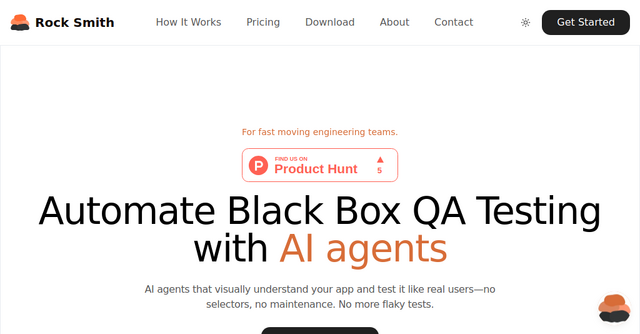
At its core, Rock Smith is an AI-powered black-box QA testing platform. Instead of looking at your app’s source code or relying on brittle selectors, it uses autonomous agents that "see" your application exactly the way a real user does.
Because it operates as a desktop app, it bridges the gap between powerful automation and local security. It’s built for teams—or individual developers—who need to ensure their app works perfectly across different user behaviors without the overhead of massive QA infrastructure.
Why Semantic Targeting Beats Brittle Selectors
The biggest pain point in automated testing is maintenance. If your test relies on a specific CSS selector like .btn-primary-v2, the moment a designer changes that class to .btn-submit-main, your test breaks.
Rock Smith changes the game with semantic element targeting. Instead of telling the computer to "click the element with ID #submit," you describe it as you would to a human: "the blue Submit button below the form."
Because the AI agent uses visual intelligence to identify elements by their appearance and context, the tests are incredibly resilient. If you move a button or change its styling, the AI still recognizes it as the "Submit button." This is how you achieve "self-healing" tests—when your UI changes, your tests don't immediately crash.
Key Features for Modern SaaS Teams
1. Visual Intelligence
The AI agents don't just scan the DOM; they interpret the screen. By understanding buttons, modals, and forms by their visual representation, the tool mirrors the end-user experience. This is crucial for catching UI regressions that code-based tests often miss.
2. Automated Edge Case Generation
One of the most tedious parts of QA is thinking of every possible way a user might break your app. Rock Smith handles this by automatically generating 14 different types of test scenarios. This includes fuzzing for boundary values, testing for XSS (Cross-Site Scripting), and checking for SQL injection vulnerabilities. It’s essentially a security audit and a functional test suite rolled into one.
3. Test Personas
Your app isn't used by one type of person. You have power users who fly through forms with keyboard shortcuts, and you have first-time visitors who might click the wrong things or move slowly. With Rock Smith’s "Test Personas," you can simulate these different behaviors. You can tell the agent to act like a "Keyboard Pro" or an "Exploratory User" to see how your app handles different workflows.
4. Local Browser Execution
Security is always a concern when handing your app over to a third-party testing tool. Because this is a desktop app, your tests run locally on your machine. Sensitive data never leaves your environment, making it a perfect choice for testing internal-only apps, staging environments, or localhost setups that aren't exposed to the public internet.
Practical Use Cases for Indie Makers
Whether you are a solo founder or part of a small, fast-moving team, this tool fits into your workflow in a few distinct ways:
- Testing Internal & Staging Apps: Since the agent runs locally, you can point it at your
localhostenvironment while you are still developing features. It’s a great way to verify that a new login flow works before you even commit your code. - Rapid Regression Testing: If you’re pushing updates to your SaaS daily, you don't have time to manually verify every page. You can use the Discovery engine to automatically explore your site and generate baseline tests, giving you immediate confidence that your core features aren't broken.
- Non-Technical QA: If you have a team member who isn't a developer but knows the product inside and out, they can use natural language to describe new test flows. No need to learn complex testing frameworks or write scripts.
Moving Beyond Flaky Tests
The goal of any QA strategy should be to free up your mental bandwidth. When you stop worrying about whether your tests will pass, you start focusing on building features that actually move the needle for your business.
By leveraging Rock Smith, you’re effectively outsourcing the most tedious parts of your job—maintenance and edge-case hunting—to an AI that doesn't get tired and doesn't get frustrated by UI updates.
If you’re tired of the "flaky test" cycle and want to bring a more professional, automated rigor to your development process, give the desktop app a try. It’s a practical, modern solution for developers who care about quality but don't have the time to become full-time QA engineers.
Ready to automate your QA? Check out Rock Smith and see how their autonomous agents can handle your testing workload.