Stop the CRM Clutter: A Better Way to Sync Intercom and HubSpot
If you’ve ever opened a customer record in HubSpot after a long support session in Intercom, you know the feeling. You aren’t greeted by a neat summary of the issue; instead, you’re hit with a "wall of noise." Your CRM timeline is suddenly buried under ten different fragments of a single conversation, making it impossible for your sales or success team to find the actual context they need.
For indie makers and SaaS teams, time is our most precious resource. We shouldn't be spending it manually cleaning up digital breadcrumbs left behind by our own software integrations.
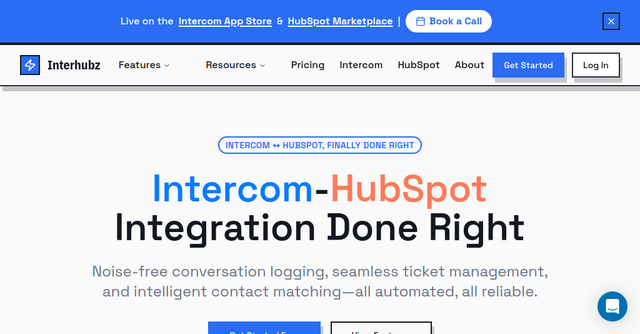
That is exactly why Interhubz exists. It was built to solve the "timeline pollution" problem, acting as the bridge between your support inbox and your customer database. If you use Intercom for support and HubSpot for your CRM, this tool is the missing link you’ve been waiting for.
Why Your Current CRM Sync is Likely Failing
Most standard integrations take a "firehose" approach. Every message, every bot interaction, and every minor update gets pushed to your CRM as a separate entry. When you multiply that by a hundred customer conversations a week, your HubSpot timeline becomes a graveyard of unusable data.
When your sales team jumps into a contact profile, they don't want to scroll through twenty individual messages to see if a customer is frustrated or happy. They want a single, clear narrative. Interhubz changes the paradigm by consolidating those scattered fragments into one clean, formatted note that actually makes sense.
What is Interhubz?
Interhubz is a specialized integration tool designed for teams that prioritize clean data. It sits between your Intercom support portal and your HubSpot CRM, acting as a smart filter and organizer.
Unlike generic automation tools that just "connect" two apps, Interhubz understands the context of a support conversation. It identifies when a chat has ended, bundles the relevant transcript and attachments into a single, professional-looking note, and pushes it to the right contact record. It’s designed specifically for the Website category of SaaS tools—helping you keep your digital front-end and back-end operations perfectly aligned.
Key Features That Save Your Sanity
1. The Power of "One Note Per Conversation"
This is the feature that changes everything. By grouping an entire Intercom exchange into a single, readable entry in HubSpot, Interhubz eliminates the constant scrolling and searching. Your team can see the full transcript and any associated attachments in one place, instantly. It turns a chaotic log into a professional customer history.
2. Intelligent Contact Matching
We’ve all dealt with the nightmare of duplicate entries. One customer emails from their work address, then pings you via a support bot, and suddenly you have two records in your CRM. Interhubz uses smart matching logic—looking at email addresses, phone numbers, and custom properties—to ensure that the data lands on the correct profile every single time.
3. One-Click Ticket Creation
Sometimes a chat needs to become a formal task. With Interhubz, you can trigger a HubSpot ticket directly from the Intercom interface. Even better, it supports bi-directional status sync. When you update the ticket in HubSpot, the status is reflected back in Intercom, ensuring both your sales and support teams are always looking at the same source of truth.
4. Noise Guards: Filtering Out the Fluff
Not every interaction with your website is a high-value support ticket. Bot greetings, automated "we’ll be with you shortly" messages, and spam can clog your CRM. Interhubz features built-in "noise guards" that automatically filter these out. By keeping the junk out of your CRM, you ensure that your team is only looking at meaningful, actionable data.
5. The Embedded Inbox App
Context switching is the enemy of productivity. With the Interhubz embedded app, your support agents don't have to leave the Intercom tab to see what’s happening in HubSpot. They can view contact and company data directly within the sidebar, allowing them to provide personalized, informed support without ever breaking their flow.
Practical Scenarios: When Interhubz Shines
The Scaling SaaS Team You’re growing, and your support volume is ticking up. Your sales reps are complaining that they can’t see which customers are having technical issues because the HubSpot timeline is too messy. By deploying Interhubz, you instantly clean up the view, allowing sales to see a clear, concise summary of all recent support interactions before they jump on a renewal call.
The Solo Founder Wearing Every Hat As an indie maker, you are your own support desk and your own sales lead. You don’t have time to manually copy-paste transcripts into your CRM. Interhubz automates the administrative heavy lifting, giving you back hours of your week so you can focus on building features rather than managing data.
The Customer Success-Led Business For businesses where churn prevention is key, seeing the full picture of a customer's journey is vital. Interhubz ensures that every interaction—from the first "How do I do X?" query to the final resolution—is captured neatly in the CRM. This historical data is invaluable for identifying at-risk accounts before they decide to leave.
Why Indie Makers Should Care
In the indie space, we often get caught up in building the product, but the "business side"—the CRM, the support logs, the hand-off between departments—is what actually keeps the lights on. Many of us are using powerful tools like Intercom and HubSpot, but we’re using them inefficiently because the integration between them feels like an afterthought.
Interhubz acknowledges that your time is better spent building than cleaning up CRM logs. It’s a tool built with a "do one thing well" philosophy, which is exactly the kind of focused software that indie makers tend to appreciate.
Final Thoughts
If you’re tired of the "timeline pollution" that standard integrations cause, it’s time to try a smarter approach. You don't need a bloated enterprise suite to manage your data properly; you just need a tool that understands the workflow of a modern SaaS team.
By streamlining how your support and sales data interact, you aren't just cleaning up a feed—you’re creating a better experience for your customers and a more efficient workflow for your team.
Ready to stop the clutter and start getting real insights from your CRM? Head over to Interhubz today to see how their integration can clean up your HubSpot timeline and get your team back on the same page.