Stop Context Switching: How to Manage Intercom Conversations Directly from Slack
Your support team lives in Slack. Your customers live in Intercom. Every day, your team spends hours ping-ponging between these two platforms, copying and pasting messages, losing track of who is handling which ticket, and paying for extra Intercom seats just so the engineering team can peek at a customer complaint.
It’s a drain on productivity, and frankly, it’s a recipe for dropped balls.
If you’ve ever felt the friction of managing customer support across two disconnected tools, you aren’t alone. We’ve all been there: a customer sends an urgent message in Intercom, the notification hits Slack, but then the actual work of responding requires you to open a browser tab, log in, find the conversation, and craft a reply.
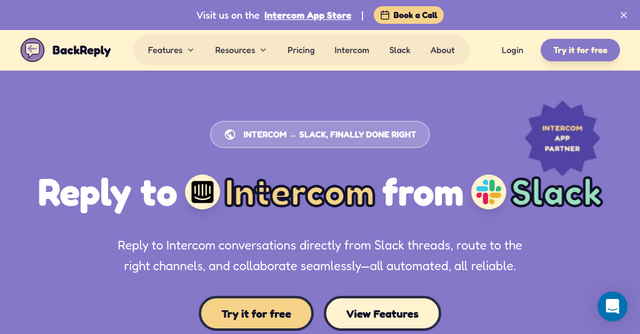
This is where Backreply changes the game. It’s a powerful SaaS tool designed to turn your Slack workspace into a fully functional support interface, keeping Intercom as your system of record while letting your team stay exactly where they are most productive.
The Reality of "Notification Fatigue"
Most teams try to solve the Intercom-Slack disconnect with basic automations or Zapier workflows. But those "hacks" often fall short. You get a notification, but you can’t actually reply from the thread. You end up with fragmented conversations, double replies, and a lack of clarity on who is doing what.
The result? Your team suffers from context switching, and your customers suffer from slower response times.
Backreply closes that loop. It isn’t just a notification bot; it’s a professional-grade integration that allows you to treat Slack threads as a first-class interface for your customer conversations.
Why Backreply is a Game-Changer for Indie Teams
Whether you are a solo founder or running a growing SaaS startup, efficiency is your most valuable currency. Here is why Backreply stands out as a must-have tool in your stack.
1. Reply Directly from Slack Threads
The core feature is simple but transformative: you can reply to Intercom messages without leaving Slack. When you type a response in a Slack thread, Backreply automatically syncs that message to the corresponding Intercom conversation in real-time. It supports full formatting and attachments, so you don’t have to sacrifice quality for speed.
2. Smart Routing for Better Organization
Not every support request needs to go to the same place. Backreply allows you to map specific Intercom inboxes to dedicated Slack channels.
- VIP customers? Route them to
#vip-support. - Billing issues? Send them straight to
#billing. - Technical bugs? Ensure they land in the
#engineeringchannel automatically.
By using tags, team assignments, or specific assignees, you ensure the right people see the right messages at the right time.
3. The "Seat-Saver" Collaboration Model
This is perhaps the biggest win for indie makers and bootstrappers. Intercom seats are expensive. Usually, if you want your developers, product managers, or founders to help with a customer issue, you have to pay for an extra seat for them.
With Backreply, you don’t need to provision extra Intercom seats. Your team members can collaborate, discuss, and help resolve issues directly from the Slack channel. You get the benefit of your full team's expertise without the overhead of increasing your monthly software bill.
4. One-Click Actions
Support isn’t just about replying; it’s about managing the workflow. Backreply adds buttons directly to your Slack threads, allowing you to:
- Assign conversations to team members.
- Close tickets.
- Add internal notes.
- View customer details.
Everything you do in Slack is synced back to Intercom instantly, meaning your system of record is always up to date without you ever having to switch tabs.
How It Works: A Simple Setup
One of the biggest hurdles with any new SaaS tool is the setup process. Nobody wants to spend their entire afternoon configuring APIs. Backreply was built with this in mind.
- Install in Slack: Add the app to your workspace with one click.
- Connect Intercom: Use secure OAuth to link your Intercom account.
- Map your Inboxes: Choose which channels receive notifications for which inboxes.
- Start Replying: You’re ready to go.
Because the team behind Backreply has years of experience building SaaS products—including Rasayel, Interhubz, and Octopods—they’ve prioritized security and reliability. You get an enterprise-grade integration that respects your data and ensures a smooth, secure workflow.
Who is Backreply For?
Backreply is built for the modern, fast-moving team. It is perfect for:
- Indie Makers: You need to keep your costs low and your focus on the product, not on administrative tasks.
- Customer Success Teams: You want to provide lightning-fast support without the friction of platform-switching.
- SaaS Founders: You want to stay close to your customers and help with support tickets without paying for extra seats for every member of your team.
Stop the Context Switching
If you are tired of messy Slack threads, missed notifications, and the endless tab-switching that comes with managing Intercom, it’s time to streamline your workflow. Backreply offers a clean, professional, and efficient way to bridge the gap between your communication hub and your support platform.
Stop paying for extra seats and stop losing track of customer conversations.
Ready to see the difference for yourself? Try Backreply for free today and start closing the loop on your customer support. Your team (and your customers) will thank you.