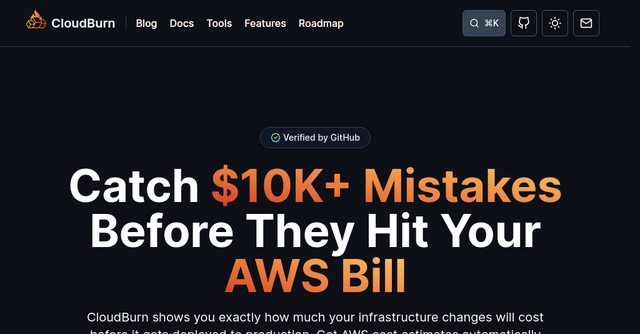
Stop AWS Cost Mistakes Before They Happen: A Better Way to Manage Cloud Spend
We’ve all been there. You get a notification from AWS, or worse, you check your billing dashboard at the end of the month, only to find a spike in costs that makes your stomach turn. You dig into the logs, trace the infrastructure changes, and realize that a developer—or perhaps even you—provisioned a resource that wasn’t quite optimized. By the time you find the problem, the money is already gone.
Most FinOps tools are designed to tell you what you spent after the fact. They are reactive, dashboard-heavy, and often feel like a post-mortem report on your bank account. But what if you could catch those costly infrastructure decisions while you’re still writing the code?
That is exactly where CloudBurn comes in. It flips the script on cloud cost management by moving the conversation from a monthly accounting meeting to the pull request (PR) process, where infrastructure mistakes are actually easy to fix.
What is CloudBurn?
CloudBurn is an open-source policy engine designed for teams that use Terraform or AWS CDK to manage their infrastructure. Instead of just staring at cost dashboards, CloudBurn integrates directly into your delivery pipeline. It runs deterministic cost rules against your Infrastructure as Code (IaC) during CI, allowing you to catch expensive misconfigurations before they ever reach production.
It’s a powerful SaaS-adjacent tool for any indie maker or engineering team that wants to treat cloud costs as a first-class citizen in their development workflow.
Why Traditional FinOps Tools Are Failing You
If you’ve used traditional cloud management tools, you know the cycle:
- You deploy a new service.
- A week later, your AWS bill creeps up.
- You spend hours in a complex dashboard trying to figure out which specific resource caused the jump.
- You spend more time refactoring the infrastructure to fix it.
This is reactive optimization. It’s expensive, time-consuming, and puts the burden on the wrong people at the wrong time.
CloudBurn changes this by being deterministic. It uses a set of explicit, readable rules that scan your Terraform or CloudFormation templates. It doesn’t guess or use "black-box" AI models; it checks your code against known bad spending patterns. If you’re about to deploy something that’s going to burn cash unnecessarily, CloudBurn tells you in your PR before you click "Merge."
Key Features That Make a Difference
1. Shift-Left Cost Analysis
The core of CloudBurn is its ability to integrate into your CI/CD pipeline. By running cloudburn scan against your IaC files in a pull request, you get instant feedback. You’ll see exactly what a change costs relative to your current architecture. This empowers engineers to make informed decisions without needing to be cloud finance experts.
2. Unified Rules for CI and Discovery
One of the most impressive parts of CloudBurn is that it uses the same engine for two different modes: Scan and Discover.
- Scan: Checks your infrastructure before it gets deployed.
- Discover: Checks your live AWS environment to find what’s already burning money.
Because the rule language is identical, you don’t have to learn two different systems. If you find a pattern that is causing waste in your live environment, you can easily apply that same rule to your CI pipeline to ensure that specific mistake never happens again.
3. Transparent, Deterministic Rules
CloudBurn’s rules are explicit. Whether it’s identifying EBS volumes that aren't using current-generation hardware, EKS node groups that aren't leveraging Graviton, or S3 buckets missing lifecycle policies, you know exactly why the tool is flagging an issue. This transparency builds trust; engineers are much more likely to follow advice when they understand the logic behind it.
4. Developer-Friendly Output
You don’t need to be a FinOps specialist to use it. The CLI output is designed for humans. It provides clear, actionable data in the terminal, and if you’re automating your pipeline, you can output in JSON to feed other reporting tools. It fits perfectly into the existing workflow of an indie developer who wants to move fast without breaking their budget.
A Practical Scenario: Preventing the "Forgot-to-Optimize" Trap
Imagine you are spinning up a new RDS instance for a side project. You’ve got a tight deadline, so you pick an instance class that is "good enough." You push your Terraform code to your repo.
Without CloudBurn, you might merge that code and forget about it. A month later, you realize you’re paying for a massive instance that is only 5% utilized.
With CloudBurn installed:
- Your PR triggers a CI job.
- CloudBurn runs its
RDS Instance Class Not Preferredrule. - The build fails or warns you, pointing out that a more cost-effective instance class is available for your specific use case.
- You swap the instance class before the code is ever deployed.
You’ve saved money, kept your bill predictable, and avoided the manual work of cleaning up infrastructure after the fact.
How to Get Started
One of the best things about CloudBurn is how quickly you can get up and running. Because it’s an open-source CLI, you don’t need to sign up for a massive enterprise platform or hand over your AWS credentials to a third-party SaaS provider if you don't want to.
- Install: You can install it via Homebrew or npm (
brew install towardsthecloud/tap/cloudburn). - Scan: Run
cloudburn scan ./your-iac-directoryto see how your current infrastructure stacks up. - Automate: Add the command to your GitHub Actions, GitLab CI, or any other pipeline you use.
By treating cost review as a normal part of the delivery pipeline, you start building a culture of cost-awareness. You stop "paying for mistakes" and start "shipping with confidence."
Final Thoughts
As an indie maker, your time and your budget are your most precious resources. Spending them on fixing inefficient cloud infrastructure is a distraction from building your product. CloudBurn takes the guesswork out of AWS costs by giving you the tools to catch waste before it happens.
If you’re tired of being surprised by your monthly AWS bill, it’s time to stop optimizing reactively. Give CloudBurn a try in your next pull request—your future self (and your bank account) will thank you.