Is Your Website Missing Out on 1 in 6 Users? How to Fix It Easily
The internet is a vast space, but for over a billion people worldwide, it’s often blocked by invisible barriers. If you are an indie maker or a solopreneur building your next SaaS tool, you’ve likely spent hundreds of hours perfecting your UI, optimizing your load speeds, and refining your marketing copy. But have you stopped to check if your interface is actually usable for everyone?
According to the World Health Organization, 1 in 6 people globally live with some form of disability. When your buttons are unreadable by screen readers, your contrast ratios are off, or your forms lack proper labels, you aren't just missing out on a massive demographic—you’re creating a digital wall that prevents potential customers from engaging with your product.
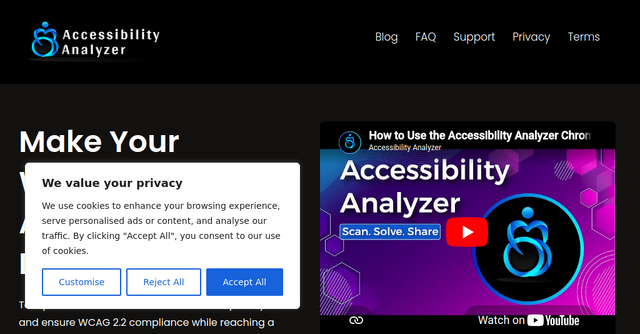
The good news? Making your site inclusive doesn't have to be a daunting, weeks-long project. That’s where the Accessibility Analyzer comes in. It’s a straightforward, powerful browser extension designed to help you identify and fix these issues without needing a degree in compliance law.
What is Accessibility Analyzer?
Accessibility Analyzer is a specialized browser extension that acts as your personal accessibility consultant. Instead of manually testing every pixel and code snippet, this tool scans your web pages to highlight potential accessibility issues.
As an indie founder, you wear every hat in the business. You’re the developer, the designer, and the QA tester. This tool is built specifically for folks like us who need to move fast but don't want to sacrifice quality or inclusivity. By providing actionable insights into non-functional code that hinders user experience, it acts as a bridge between your current site and a truly accessible web presence.
Why Accessibility Should Be on Your Roadmap
Many developers view accessibility (often shortened to a11y) as a "nice-to-have" or something to deal with "later." But the reality is that 90% of websites currently online are inaccessible under WCAG parameters.
When you prioritize accessibility, you’re doing more than just ticking a box for compliance. You are:
- Expanding Your Market: You are opening your doors to a larger audience, including those with auditory, visual, linguistic, physical, and cognitive disabilities.
- Improving SEO and UX: Many accessibility best practices—like clear navigation and semantic HTML—overlap with SEO and general usability. A more accessible site is almost always a better-performing site.
- Avoiding Legal Risks: With many governments mandating digital accessibility, being proactive now saves you from potential legal headaches down the road.
Key Features That Make Auditing Effortless
The Accessibility Analyzer stands out because it doesn't just give you a vague score; it provides the data you need to actually solve the problems.
Seamless Developer Integration
One of the biggest hurdles with testing tools is the "context switch." You don't want to leave your coding environment to upload a URL to a third-party site. This browser extension integrates directly into your workflow. By allowing you to inspect issues within your developer toolbar, it keeps your focus where it belongs: on your code.
Adherence to WCAG 2.2 Standards
The tool is built around the Web Content Accessibility Guidelines (WCAG) 2.2. Whether you are aiming for A-level (basic accessibility), AA (accessible to most users), or AAA (the gold standard for inclusivity), the analyzer provides a reliable reference point for your audits.
Actionable, Targeted Recommendations
A scan is useless if you don't know how to interpret the results. This tool provides specific recommendations to address the issues it finds. Instead of guessing why a button isn't accessible, you get clear guidance on how to fix the underlying code, making it an excellent learning tool for developers at any skill level.
Exportable Reports
If you are working with a team or need to report progress to stakeholders, the ability to download your audit reports in Excel (.xls) format is a game-changer. It allows you to track your improvements over time and turn your audit into a clear, prioritized to-do list for your next sprint.
How to Use Accessibility Analyzer in Your Workflow
You don't need to be an expert to start using this tool. Here is a simple, three-step approach for indie makers to integrate it into their dev cycle:
- The Initial Scan: Once you’ve installed the extension, run an audit on your landing page or your primary SaaS dashboard. Don't be discouraged by the results—most sites have room for improvement.
- Addressing the "Low-Hanging Fruit": Start by fixing the errors identified by the extension. Because the tool provides specific guidance, you can often knock out a dozen quick fixes in an hour, significantly improving your site's accessibility score.
- The Holistic Check: Remember that automated tools are a fantastic starting point, but they don't catch everything. Use the Accessibility Analyzer as your foundation, then supplement it with manual checks (like keyboard-only navigation) to ensure a truly inclusive user experience.
A Tool for the Modern Indie Maker
In the world of SaaS, your product is only as good as the number of people who can actually use it. By ignoring accessibility, you are effectively turning away users before they’ve even had a chance to see your value proposition.
Accessibility Analyzer provides a low-friction, cost-effective way to take responsibility for your web presence. It is a powerful, free resource that empowers you to build a more inclusive, professional, and user-friendly product.
If you’re ready to stop guessing about your site’s accessibility and start making meaningful improvements, download the extension today. It’s a small step that can make a massive difference for your users and your business growth. Remember: an accessible web is a better web for everyone.