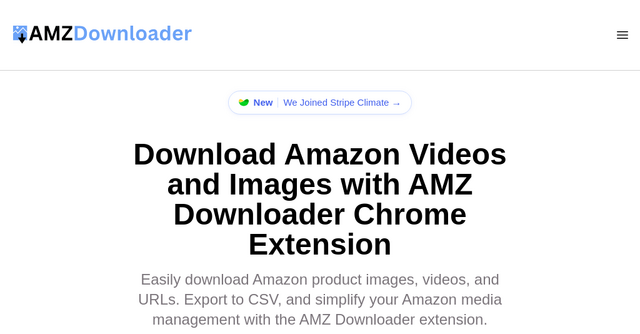
Why You Need to Automate Your Amazon Media Workflow: A Review of AMZ Downloader
If you’ve ever tried to build a niche affiliate site, manage a dropshipping store, or create content for an e-commerce brand, you know the frustration of manually saving assets from Amazon. You spend minutes clicking, right-clicking, saving, and renaming files—only to realize you missed the high-quality video or the specific color variation image you needed. It’s tedious, repetitive, and a massive drain on your time.
When you’re building a business as a solopreneur or indie maker, your time is your most valuable currency. You don't have hours to waste on manual data entry or media gathering. That’s exactly where AMZ Downloader comes in. It’s a specialized SaaS tool designed to turn an hour-long chore into a one-click process.
What is AMZ Downloader?
AMZ Downloader is a browser-based utility that acts as a bridge between Amazon’s massive product database and your local machine. Instead of fighting with right-click restrictions or digging through source code to find direct media links, you install this Chrome extension and gain the ability to scrape and download product images, videos, and metadata instantly.
Whether you are an affiliate marketer building comparison tables or an agency owner managing product catalogs for clients, this tool is built to streamline your workflow. It supports all Amazon domains and handles the heavy lifting of media extraction, including those elusive variation images that are often the hardest to track down.
Why This SaaS Tool is a Game-Changer
In the landscape of SaaS tools, we often see overly complex software that requires a steep learning curve. AMZ Downloader takes the opposite approach: it solves one specific problem extremely well. Here is why it belongs in your indie-maker toolkit:
1. Master the Variations
One of the most frustrating aspects of Amazon product listings is the variation structure. If a product comes in five colors, each with its own set of images and videos, downloading them manually is a nightmare. AMZ Downloader identifies these variations automatically, allowing you to pull media for the entire product family in one go.
2. CSV Export for Bulk Data
For those of you building databases or managing inventory, raw files are only half the battle. You also need the data. This tool allows you to export all image and video URLs directly into a CSV file. This is a massive time-saver if you are importing media into a CMS like WordPress, Shopify, or a custom Notion database.
3. One-Click Efficiency
Speed is the name of the game. With the extension installed, you can preview all the media on a page, see the video duration and file sizes, and download everything as a zip file. You no longer have to worry about individual file management; the tool handles the grouping and compression for you.
Practical Use Cases for Indie Makers
How can you actually integrate this into your daily business operations? Here are a few scenarios where this SaaS tool pays for itself:
- Affiliate Content Creation: If you are building “Best X for Y” review sites, you need consistent, high-quality images of the products you are recommending. Instead of searching for stock photos or taking your own, you can quickly grab the official assets from Amazon to populate your comparison grids.
- Dropshipping and E-commerce: If you are testing products for a dropshipping store, you need to populate your product pages quickly to see if a niche has potential. AMZ Downloader allows you to build out your store’s media library in minutes rather than hours.
- Market Research: By downloading media and gathering URLs in bulk, you can create a localized database to analyze competitor product visuals, saving you from having to hop back and forth between browser tabs.
Understanding the Pricing Structure
One of the best things about AMZ Downloader is that it respects the "freemium" model that indie makers love. You can start using it for free to see if it fits your workflow:
- Free Plan: You get unlimited image downloads and URL exports. This is perfect for most affiliate bloggers who primarily need high-quality product photos. Free users also get a generous allowance of 3 video downloads per month.
- Premium Plan: For those who need to scale—such as agencies or high-volume e-commerce sellers—the premium plan offers unlimited video downloads and full access to all media exports for just $6.99 per month.
Considering the time you save by not doing this manually, the ROI on a monthly subscription is almost immediate.
Is It Safe and Reliable?
A common concern with browser extensions is privacy and security. It is important to note that AMZ Downloader does not store your product information or the media you download. It acts purely as a utility on your local browser.
Additionally, because the tool is built as a lightweight Chrome extension, it doesn't bog down your system. It is designed to work silently in the background until you need it, making it an unobtrusive addition to your browser toolbar.
Final Thoughts: Should You Add It to Your Stack?
If you find yourself manually saving Amazon images more than twice a week, you are losing money on wasted time. AMZ Downloader is a prime example of a well-executed SaaS tool: it identifies a repetitive, low-value task and automates it completely.
It’s rare to find a tool that is so straightforward and effective right out of the box. Whether you are a solo founder launching your first niche site or an agency owner managing dozens of client projects, the ability to grab media and CSV data with a single click will change how you handle Amazon listings.
Ready to stop wasting time on manual downloads? Install AMZ Downloader today and start reclaiming your hours. Your workflow will thank you.