Seedream 5 Review: Streamlining Visual Content Creation for Indie Makers
Staring at a blank canvas is the universal struggle of the modern solopreneur. Whether you are building a landing page, drafting a social media campaign, or trying to mock up a product concept, the gap between "I have an idea" and "I have a professional asset" is often filled with hours of tedious design work or expensive stock photo hunting.
What if you could bridge that gap with a few lines of text?
Enter Seedream 5, an AI-powered image generation platform that is quickly becoming a staple in the toolkits of indie creators. If you’ve been looking for a way to scale your visual output without hiring a full-time designer, this might be the missing piece in your tech stack.
What Exactly is Seedream 5?
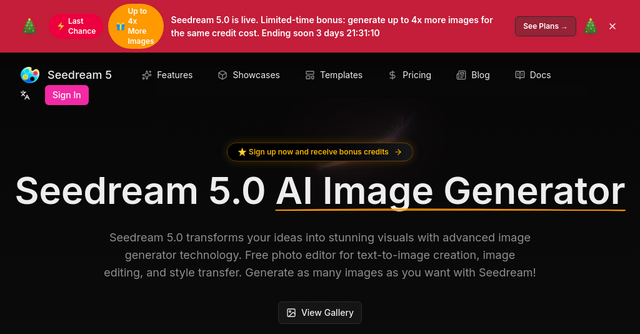
At its core, Seedream 5 is a versatile website-based AI tool designed to turn text prompts into high-quality visuals. It isn’t just another basic image generator; it’s a comprehensive creative suite that includes an AI photo editor, style transfer capabilities, and a robust template system.
For indie makers and SaaS founders, Seedream 5 acts as an on-demand design team. Whether you need concept art for a new feature, a high-converting hero image for your product, or consistent branding assets for a social media series, the platform provides a streamlined workflow to get from prompt to pixel-perfect output.
Key Features That Matter to Indie Makers
The landscape of AI art is crowded, but Seedream 5 distinguishes itself by focusing on the specific pain points of creators who need efficiency and consistency. Here is why the platform is gaining traction:
1. Multi-Reference AI Guidance
One of the hardest parts of AI generation is getting the AI to "understand" your specific brand aesthetic. With Seedream 5’s multi-reference guidance, you can upload up to six reference images. This allows you to combine elements—like a specific clothing style from one image and a lighting setup from another—to create a bespoke visual that feels original rather than "AI-generated."
2. Industry-Specific Templates
For those who don't want to spend hours perfecting a prompt, the platform offers a library of templates. These are game-changers for e-commerce and marketing. For instance, you can use the "E-commerce hero scene" template to drop your product into a lifestyle setting, or use the "Fairytale storybook" template to ensure character consistency across a series of illustrations. It takes the guesswork out of complex prompt engineering.
3. Integrated AI Photo Editor
Generating an image is usually only half the battle. Often, you need to tweak, crop, or enhance the output. Seedream 5 includes an integrated AI photo editor, allowing you to modify your creations directly within the browser. This keeps your workflow contained in one tab, preventing the "app-switching fatigue" that plagues many creative processes.
4. High-Resolution Output
Quantity is important, but quality is non-negotiable for professional branding. Seedream 5 is built to output professional-quality, high-resolution images. This means you aren’t just creating "fun" AI art; you are creating assets that are actually usable for your website, blog headers, and marketing collateral.
Practical Use Cases for Your Business
How can you actually integrate this into your daily routine? Here are a few ways indie makers are currently utilizing the platform:
- E-commerce Hero Images: If you’re selling physical goods, creating high-quality lifestyle shots is expensive. With Seedream 5, you can take a basic product photo and use the AI to place it in a bright, inviting living room or a professional studio setting, helping to lift click-through rates and conversions.
- Consistent Storytelling: Maintaining a consistent visual style is vital for brand identity. Whether you are creating a series of illustrations for a blog post or a consistent look for your social media feed, the style transfer and reference features ensure your images don't look like a mismatched collection of random AI outputs.
- Concept Art and Prototyping: If you are a game developer or a SaaS founder building a new UI, you can use the tool to rapidly iterate on concept art. The ability to turn line art into cinematic scenes allows you to visualize your ideas before committing to expensive development hours.
Navigating the Workflow: What to Expect
When you first land on the Seedream 5 website, you’ll notice the focus is on speed and accessibility. The platform is built for users who want to generate images without needing a PhD in prompt engineering.
However, it is important to understand the platform’s tiers. While the base experience is accessible and free to start, the platform uses a queue system. For power users who are generating hundreds of images a week—batching content for a full month of social media, for instance—the priority queue and batch export features available in the upgraded tiers are well worth the investment. It eliminates the wait time during peak traffic and lets you handle bulk projects in a single sitting.
Is It Right for Your Indie Business?
If you are a solopreneur or a small team, your time is your most valuable asset. The "10x efficiency" mentioned by many users isn't just marketing fluff; it’s the reality of replacing manual design processes with AI-assisted workflows.
Seedream 5 is a strong contender for anyone who:
- Needs to produce high-quality visual content on a budget.
- Wants a "one-stop-shop" that combines generation with basic editing.
- Needs to maintain brand consistency across different types of visual assets.
It’s not just an image generator; it’s a productivity tool. By reducing the time it takes to create a professional visual from hours to minutes, you’re freeing up your most valuable resource—your time—to focus on the product development and strategy that actually grows your business.
Final Thoughts
The barrier to entry for high-quality design has effectively vanished. With tools like Seedream 5, you no longer have an excuse for using generic stock photos or unpolished visuals on your website. Whether you are using it to draft your next marketing campaign or to flesh out the design language of your SaaS app, the power to create is now at your fingertips.
Ready to see the difference for yourself? Dive into the gallery to see what other creators are building, or sign up to start experimenting with your own prompts. It’s time to stop worrying about design and start building the visual presence your brand deserves.