Why Consistency is the Secret Weapon for AI Video: A Review of Seedance 2.0
If you’ve experimented with AI video generation, you know the struggle: you prompt an AI to create a character, and it looks perfect. But the moment you try to create a second scene, your actor has aged ten years, changed their outfit, or completely morphed into a different person. For indie makers and solopreneurs trying to produce professional-grade marketing assets, this "randomness" is the biggest barrier to entry.
We’ve all seen the flashy AI demo reels, but when it comes to actual, usable SaaS workflows, the goal isn't just "cool visuals"—it's control.
That is where the Seedance 2.0 AI Video Generator steps in. It’s a web-based tool designed to bridge the gap between "random AI generation" and "intentional filmmaking." If you are tired of fighting with prompt engineering just to get a character to walk through a door twice in a row, this might be the tool your content workflow has been missing.
What is Seedance 2.0?
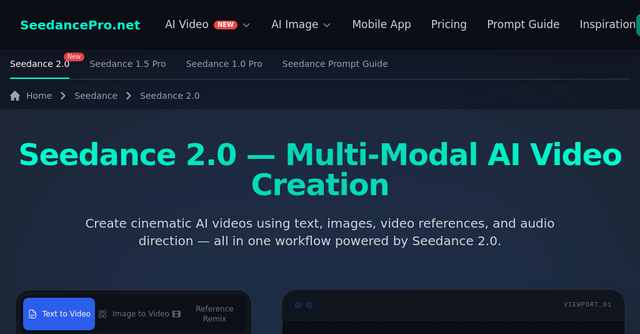
Seedance 2.0 is a multi-modal AI video generation platform that moves beyond simple text-to-video prompts. It is built for creators who need cinematic quality without the need for a high-end studio or a background in complex animation software.
As a SaaS tool, it operates entirely in your browser. This means you don’t need a specialized GPU or a massive local machine to run it. Whether you are a solopreneur building a brand presence on TikTok or a founder creating a high-converting product demo for your landing page, Seedance 2.0 provides a structured, reference-based workflow to keep your visuals tight and your story consistent.
Why Consistency Matters for Indie Founders
In the early days of AI video, the "wow" factor was enough. Now, we are in the era of "utility." If you are using AI to build your business, your content needs to be recognizable.
Seedance 2.0 addresses the "identity crisis" of AI video through three primary pillars:
1. Reference-Driven Creation
Instead of relying solely on text prompts—which are notoriously difficult to use for precise visual outcomes—Seedance 2.0 allows you to upload images, video clips, and audio to act as a "visual core." By providing the model with a reference, you are effectively giving it a blueprint. This is a game-changer for maintaining brand aesthetics across different video assets.
2. Consistent Character Generation
This is arguably the most requested feature in the AI video space. Seedance 2.0 allows you to maintain identity, clothing, and visual details across multiple scenes. By using consistent references, you can create a narrative video where your "spokesperson" or "main character" actually looks like the same person from start to finish.
3. Cinematic Camera Control
One of the easiest ways to spot "amateur" AI video is the lack of thoughtful camera movement. Seedance 2.0 enables you to recreate camera movement, shot composition, and pacing from reference videos. This means you can mimic professional cinematic styles, making your content feel less like a random AI experiment and more like a directed piece of media.
Mastering the Workflow: A Step-by-Step Approach
One of the reasons we like this Seedance 2.0 AI Video Generator for the IndieProducts directory is its simplicity. The interface doesn't hide behind layers of technical jargon.
The workflow is straightforward, even if you’ve never touched a video editor:
- Step 1: Upload References: You start by feeding the engine the "vibe." Whether it’s an image for style, a video clip for motion, or an audio track for rhythm, this step sets the guardrails for the AI.
- Step 2: Describe the Scene: With your references uploaded, you use text prompts to explain the motion and the sequence. Because the AI already has your visual references, your prompt can be much more precise and focused on the action rather than the appearance.
- Step 3: Generate and Interpolate: The engine orchestrates your multi-modal inputs. A pro tip here is to use the interpolation feature, which keeps start and end frames visually consistent, preventing that "jittery" morphing effect often seen in lesser models.
- Step 4: Edit or Extend: If you need to build a longer narrative, you can extend your existing video timeline, ensuring the story continues naturally without breaking the visual flow.
Practical Use Cases for Your SaaS Business
How can you actually use this in your day-to-day operations?
- Marketing Video Production: Quickly generate product ads or promotional content without hiring a video crew. You can use your own product images as references to ensure the AI generates the product accurately.
- Storytelling & Short Films: If you are building a brand story, Seedance 2.0 helps you maintain a consistent visual language, which is vital for building trust with your audience.
- Social Media Content: With support for various aspect ratios (16:9 for YouTube, 9:16 for TikTok/Reels), you can easily repurpose your content across platforms.
- Animation Pre-Visualization: If you’re a game dev or a creator, use this to prototype scenes quickly before committing to a full, expensive animation pipeline.
Frequently Asked Questions
Does Seedance 2.0 require professional editing experience? Not at all. The tool is designed to be accessible. While it offers professional-grade outputs, the browser-based interface is intuitive enough for anyone to get started.
Can I use these videos commercially? Yes, the platform allows for commercial use, making it a viable tool for your business marketing needs.
Are my uploads private? A major concern for many indie makers is data privacy. Seedance 2.0 keeps your uploaded files private, and they are not shared with other users or used for model training without your permission.
How do I get the best results? The best results come from a combination of clear reference images and simple, direct prompts. Remember: the AI is a collaborator, not a mind reader. Give it strong visual anchors, and it will handle the heavy lifting of motion and style.
The Future of AI Filmmaking is Here
We are moving past the "hype" phase of AI and into the "execution" phase. Tools like the Seedance 2.0 AI Video Generator are essential for indie makers because they democratize high-end production. You no longer need to be a video editor to create high-quality, consistent, and cinematic content.
If you’ve been waiting for a tool that balances creative freedom with the control required for professional work, it’s time to give Seedance 2.0 a look.
👉 Ready to level up your video content? Explore Seedance 2.0 and start generating today.