Stop Creating Boring Demos: Why Screentell Is the Browser-Based Editor You’ve Been Waiting For
We’ve all been there: you’ve built something cool, you’re ready to show it off to the world, but the process of recording, editing, and polishing a product demo feels like a full-time job. You end up juggling heavy video editing software, struggling with complex keyframes, or settling for a "raw" recording that doesn't quite capture the professional vibe your SaaS deserves.
If you’re a solopreneur or an indie maker, your time is your most valuable asset. You don’t need another bloated piece of software installed on your machine. You need a tool that lets you record, edit, and export high-quality content directly where you work—in your browser.
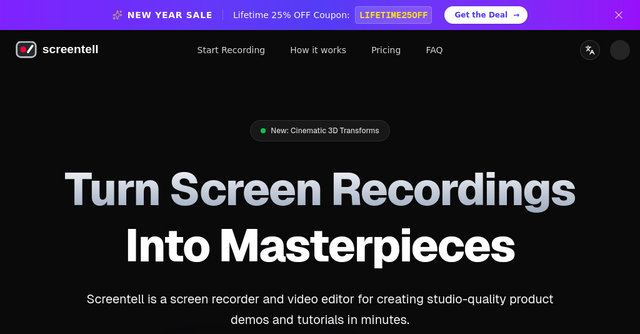
That’s exactly where Screentell comes in. It’s a powerful, web-based SaaS that turns plain screen recordings into studio-quality content without the steep learning curve of professional video suites.
What Is Screentell?
Screentell is a browser-based screen recorder and video editor designed specifically for creators who need to produce product demos, tutorials, and social media content quickly.
Unlike traditional screen recording software that requires you to download massive files and manage complex installations, Screentell runs entirely in your browser. Whether you are using Chrome, Brave, Edge, or Arc, the entire creative workflow—from the first frame of recording to the final export—happens right in your tab.
Because it’s built as a lightweight SaaS, it’s perfect for indie makers who move fast and need to keep their hardware resources focused on building their products, not rendering heavy video files.
High-Quality Recording Without the Hassle
The first step in any great tutorial is the capture. Screentell simplifies this by allowing you to record your screen and camera simultaneously.
Dual Capture and System Audio
You don’t have to choose between your face and your code. Screentell handles dual-stream recording effortlessly. You get high-fidelity system audio capture alongside your microphone input, ensuring that your voiceover sounds crisp and your software sounds exactly as it should.
No Installation Required
This is perhaps the biggest win for the indie community. Because it uses modern Web APIs, there’s nothing to install. You just navigate to the site, hit record, and start creating. If you’re working across different machines or travel frequently, this "no-install" philosophy is a game changer.
Professional Editing: Give Your Demos the "SaaS Glow"
Recording is only half the battle. To make a demo that actually converts, you need to guide your viewer’s attention. This is where Screentell shines. It isn’t just a recorder; it’s a full-fledged editor that brings "cinematic" features to the browser.
Mastering Focus with Keyframes
The most common mistake in product demos is a static screen that’s too small for the viewer to read. Screentell’s keyframe system allows you to zoom and pan across your screen recording with precision. You can guide your viewer's eye exactly where it needs to be, whether you’re highlighting a specific button in your dashboard or explaining a complex flow.
Cinematic 3D Transforms
If you want to move beyond the flat 2D plane, Screentell offers 3D transforms. Using a 3D joystick, you can tilt, rotate, and scale your screen recording. This adds a layer of depth that makes your video look like a high-end production rather than a standard screen capture. It’s a subtle touch, but it’s the difference between a video people skip and one they watch to the end.
Flexible Face Cam Layers
We’ve all seen the "floating camera bubble" in tutorials. Screentell takes this further by treating your face cam as a fully animatable layer. You can resize it, change its shape (circle, rectangle, etc.), and even move it around the screen after you’ve finished recording. If your camera is blocking a critical piece of UI, you don’t have to re-record—you just move the layer.
Annotations That Actually Communicate
Sometimes, a voiceover isn’t enough. You need visual cues to keep your audience engaged.
Screentell comes loaded with a rich suite of stickers and annotations. You can add arrows, speech bubbles, and shapes to point out important details. What I love about this feature set is the customization: you have full control over borders, colors, shadows, and roundness. You can even upload your own images to overlay on the video, which is perfect for adding branding or showing off supplementary screenshots.
Privacy-First Workflow
As indie makers, we are often handling sensitive data in our browser tabs. One of the best things about Screentell’s architecture is that all processing happens locally in your browser. Your recordings never leave your device to be processed on a remote server. This is a massive privacy win, especially if you’re recording demos that contain private user data or internal project details.
Why It’s Perfect for Indie Makers
If you’re currently using a mix of QuickTime, iMovie, and some random online video compressor, Screentell is going to drastically simplify your stack.
- Project Management: The local history panel ensures you can resume editing whenever you need to. It’s like having a project file that lives in your browser cache, ready to go.
- Cropping Tools: Need to hide those messy browser tabs or your taskbar? The cropping tool lets you clean up your frame, so the focus stays entirely on your product’s UI.
- Layouts: Don’t just show a screen—show a "scene." By using the Inset mode, you can add padding and beautiful backgrounds (solid colors or gradients) behind your recording, giving your videos a professional, modern aesthetic.
Pricing That Makes Sense
Screentell offers a transparent pricing model that caters to different stages of your business:
- Free Plan: Perfect for getting started. You get unlimited recordings and basic editing tools. It’s a great way to test the waters.
- Pro Plan ($6.99/month): This removes the watermark, allows for unlimited export length, and unlocks the full suite of professional features.
- Lifetime Plan ($99.99): For the indie maker who hates recurring subscriptions, this is a fantastic deal. A one-time payment gets you permanent access and all future updates.
The Bottom Line
Creating product demos shouldn't feel like a chore. By moving the recording and editing process into the browser, Screentell removes the friction that usually stops us from shipping content. Whether you’re creating a walkthrough for your landing page, a tutorial for your new feature, or a quick video to answer a customer support ticket, the tool is intuitive enough to get the job done in minutes.
If you’re ready to stop fighting with bulky video software and start shipping better-looking content, give Screentell a try today. It’s the kind of specialized, indie-built tool that makes the process of growing a SaaS just a little bit easier.