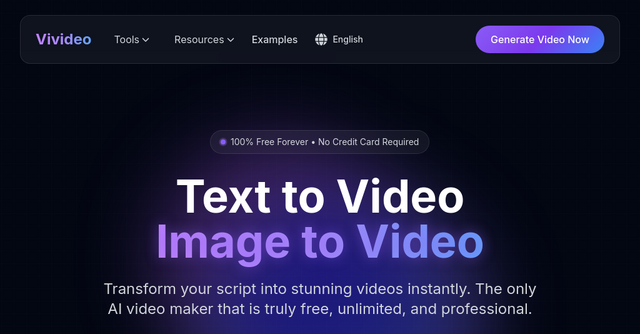
Stop Paying for Video Production: A Deep Dive into Vivideo
If you are a solopreneur or an indie maker, your to-do list is likely never-ending. Between coding, managing customer support, and trying to handle marketing, finding the time—or the budget—to create high-quality video content often feels like a pipe dream. You know that video is the engine of modern social media, yet the barrier to entry remains high. Traditional production requires expensive software, a steep learning curve, or hiring a video editor who charges more than your monthly SaaS subscription costs.
What if you could turn your script into a professional video in under 60 seconds?
That is the promise of Vivideo, a powerful SaaS tool designed to bridge the gap between having a great idea and actually publishing a cinematic result. It is an AI video generator that removes the friction from content creation, allowing you to focus on your product while the AI handles the heavy lifting.
What Exactly is Vivideo?
Vivideo is an all-in-one AI video creation suite that allows users to convert text into video or static images into dynamic, motion-filled clips. At its core, it is a web-based platform that automates the entire video production pipeline—from selecting relevant stock footage and composing the timing to generating natural-sounding voiceovers and adding subtitles.
The best part? It is positioned as a truly free, unlimited tool. For indie makers who are bootstrapping their projects, the ability to generate professional-grade marketing assets without a credit card is a massive win. Whether you are building an explainer video for your landing page or a quick reel for Instagram, Vivideo is designed to make the process feel as simple as typing an email.
Why Indie Makers Need This Tool in Their Stack
The SaaS landscape is becoming increasingly visual. According to industry data, video content accounts for the vast majority of internet traffic. If you aren't using video to showcase your product features or share your founder journey, you are leaving engagement on the table.
Vivideo solves the "production bottleneck" by offering:
- Lightning-Fast Turnaround: You can go from a written script to a finished export in under 60 seconds.
- Zero Editing Skills Required: You don’t need to learn Adobe Premiere or DaVinci Resolve. The AI handles the transitions, timing, and synchronization for you.
- Professional Polish: With HD and 4K export options and support for over 50 languages, your content looks and sounds like it came from a high-end agency.
Key Features That Change the Game
When you dive into the Vivideo interface, you realize this isn't just a simple slideshow maker. It is a comprehensive suite of AI tools.
1. Advanced Text-to-Video Engine
This is the flagship feature. You simply paste your script, blog post, or product description, and the platform’s NLP model goes to work. It analyzes the tone and context of your text to select relevant stock footage from a gallery of millions of premium assets. It then composes the perfect background music and matches it with a professional AI voiceover. It’s like having a video production team in your pocket that never sleeps.
2. Dynamic Image-to-Video Transformation
Sometimes you have a great product photo but need something more engaging for social media. Vivideo’s Image-to-Video tool adds cinematic motion, parallax depth effects, and smooth camera pans to static images. It turns a boring product screenshot into an immersive, eye-catching piece of content that is perfect for Instagram or TikTok.
3. Smart Editor for Fine-Tuning
While the AI does the heavy lifting, you aren't left without control. The "Smart Editor" allows you to tweak the timing, adjust effects, and manage the final output. If you want to change an AI avatar or adjust the pacing of a specific clip, the interface is intuitive enough to let you do it without a manual.
4. Multilingual AI Voiceovers
Communication is key for global SaaS products. With over 50 languages supported and a wide array of natural-sounding AI voices, you can create localized content for different markets instantly. This is a massive advantage for founders looking to expand their reach beyond their domestic audience.
Practical Use Cases for Your SaaS
How can you actually use Vivideo to grow your business? Here are a few ways to integrate it into your marketing workflow:
- Product Demos: Stop relying solely on text documentation. Use Vivideo to create clear, compelling video tutorials that show users exactly how to solve their problems with your software.
- Social Media Growth: Use the text-to-video feature to turn your latest "build in public" update or blog post into bite-sized TikToks, Reels, or YouTube Shorts. Optimized formats mean you can hit "publish" and actually see results.
- E-commerce Ads: If you are running an e-commerce layer or a digital product storefront, transform your static product photos into motion-rich video ads. These are proven to increase conversion rates compared to static imagery.
- Explainer Videos: Simplify complex features for your onboarding flow. Clear, narrated videos can significantly reduce your churn rate by helping users feel confident in using your tool immediately.
Why It Stands Out in the SaaS Market
There are many video tools out there, but Vivideo’s value proposition is refreshingly simple: it is free, unlimited, and accessible. In a market flooded with tiered pricing and "pro-only" features, finding a tool that allows you to create high-quality content without a credit card is a rarity.
It’s built for the person who needs to get things done. Whether you are a solo dev, a marketer, or a community builder, the ability to automate the technical side of video editing means you can focus on the content—the story, the value, and the message—rather than the rendering times and complex timelines.
Getting Started
If you’ve been waiting for the "perfect time" to start your video marketing strategy, this is it. The barrier of entry is no longer money or time—it’s just the decision to start.
Head over to Vivideo today to experiment with their text-to-video or image-to-video tools. You don’t need an account to see the examples, and the free-forever model means you can test it on your next project without any financial risk.
Stop struggling with complex video software. Let the AI handle the editing, and start focusing on scaling your product. Your audience is waiting for your next video—go create it in 60 seconds or less.