Stop Letting Your Browser Steal Your Focus: Why You Need a Minimalist New Tab
Every time you open a new tab, you’re making a decision. Will you start your next productive session, or will you get sucked into a vortex of news headlines, social media notifications, or "recommended" articles that have absolutely nothing to do with your goals?
For indie makers, solopreneurs, and busy professionals, the default Chrome new tab is a productivity minefield. It’s designed to keep you scrolling, not working. If you’ve ever sat down to tackle a high-priority task only to find yourself twenty minutes later reading an article about something entirely irrelevant, you know exactly what I’m talking about.
What if your browser worked for you instead of against you? That’s where Browsilla comes in. It’s a minimalist browser extension designed to turn that blank slate into a command center for your day.
What is Browsilla?
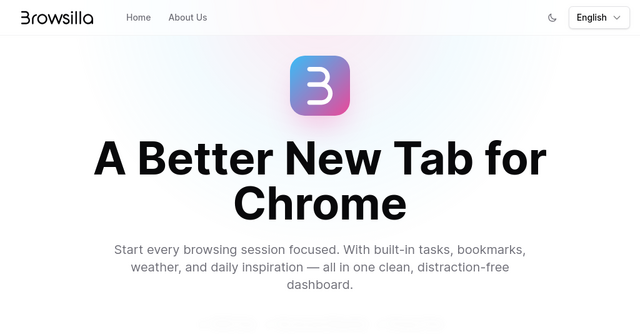
At its core, Browsilla is a lightweight Chrome extension that replaces your default new tab page with a clean, distraction-free productivity dashboard. It doesn’t try to be a full-blown project management suite or a bloated workspace. Instead, it focuses on the essentials: tasks, bookmarks, weather, and a bit of daily inspiration.
It’s built for people who value speed, privacy, and intentionality. There are no user accounts, no tracking, and no cloud sync features that compromise your data. It’s just you, your browser, and the tools you need to get things done.
Why Your New Tab Needs a Makeover
Most people don’t realize how much the "default" browser experience costs them in mental bandwidth. When you open a tab and see a wall of news or random suggested links, your brain has to perform a "context switch." You have to filter out the noise before you can even begin to think about what you were actually going to search for.
By replacing this with a minimalist dashboard, you are creating a "productive interlude." You aren’t just opening a tab; you’re opening a workspace.
Key Features That Actually Matter
Browsilla doesn’t pack in features for the sake of a feature list. Every element on the page serves a specific purpose for the focused professional.
1. Integrated Task Manager
Stop tabbing back and forth between your browser and a separate to-do list app. Browsilla puts your tasks right where you spend most of your time. You can add items, organize them into folders, and check them off as you go. It’s the perfect way to keep your current project goals front and center every time you open a new window.
2. Frictionless Bookmark Access
We all have those five or ten websites we visit dozens of times a day—your project management tool, your email, your analytics dashboard, your favorite design inspiration site. Instead of digging through cluttered bookmark folders, Browsilla lets you pin these directly to your new tab for instant, one-click access.
3. Local Weather and Daily Inspiration
It sounds simple, but knowing the weather at a glance helps you plan your day without needing to visit a weather site or check your phone. Combined with a fresh, motivational quote each day, it sets a positive, intentional tone for your browsing session.
4. Instant Search
The search bar is the heart of any browser. Browsilla keeps a clean, powerful search interface front and center. It’s fast, it’s direct, and it doesn’t distract you with trending topics or "search suggestions" that lead you off-track.
The Privacy-First Philosophy
One of the most refreshing aspects of this browser extension is its stance on privacy. In an age where almost every tool wants you to create an account, sync your data to the cloud, and provide an email address, Browsilla goes the other way.
- No Accounts Required: You don’t need to sign up or log in. You install it, and it works.
- Local Storage: All of your tasks and bookmarks live on your device. Nothing is sent to a server.
- No Tracking: The developers use only self-hosted, anonymous analytics to improve the product. They aren’t interested in your browsing history or selling your data.
For the privacy-conscious indie maker, this is a breath of fresh air. You get the benefits of a personalized dashboard without the hidden costs of data harvesting.
Real-World Use Cases for Indie Makers
How can you integrate Browsilla into your daily workflow? Here are a few ways to get more out of your browsing experience:
- The "Deep Work" Setup: Use the task manager to list the three most important things you need to finish before lunch. Every time you open a new tab, you’re reminded of your "Big Three." It’s a subtle but powerful way to stay on track.
- The Project Hub: If you’re juggling multiple SaaS projects, create a set of bookmarks for each. You can quickly navigate to your staging environment, your GitHub repo, and your customer support dashboard without hunting through a messy browser bar.
- The Morning Ritual: When you start your day, let the daily quote and the local weather update serve as your transition from "off" to "on." It’s a small, intentional moment that helps you prepare for the work ahead.
Why It’s a Must-Have for Your Browser
If you’re a developer, founder, or designer, you live in your browser. It’s your office. If your office is cluttered, your work will eventually become cluttered too.
Browsilla is lightweight, meaning it doesn't slow down your browser or eat up your RAM. It loads instantly, and because it’s so simple, there’s no learning curve. You can customize the layout to hide widgets you don't use or switch between light and dark modes to match your preferred environment.
When you install a tool like this, you aren't just changing the look of your browser; you are actively choosing to reduce your digital noise. You are reclaiming your attention from the algorithms that want you to click, scroll, and consume.
Getting Started with Browsilla
If you’re ready to stop the distractions and start focusing on your business, installing Browsilla takes only a few seconds.
- Head over to the official website.
- Click "Add to Chrome."
- Open a new tab and start customizing your dashboard.
There’s no "pro" version to upgrade to, no hidden fees, and no annoying pop-ups asking you to sign up for a newsletter. It’s just a clean, functional, and honest tool for people who want to get things done.
In the world of indie building, the best tools are often the ones that get out of your way and let you focus on what really matters: shipping great products. Give your browser the upgrade it deserves and see how much more you can accomplish when your starting point is as focused as you are.