Beyond Silent Clips: Why Plexigen AI is Changing the Game for Indie Creators
We’ve all been there: you spend hours crafting the perfect prompt in an AI video tool, only to generate a stunning, high-definition clip that is completely silent. You’re left scrambling to find stock sound effects, trying to sync foley in an editor, or settling for a generic music track that doesn't quite match the mood. It’s a friction point that breaks the flow of content creation and forces indie makers to spend more time on post-production than on the creative concept itself.
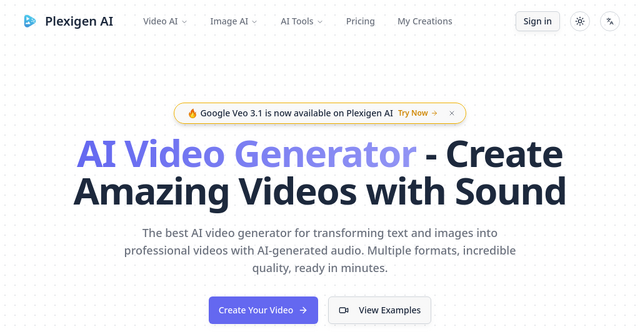
Enter Plexigen AI, a new entry in the AI space that is fundamentally shifting how we approach video generation. By integrating native audio and sound effects directly into the rendering process, this platform is solving the "silent video" problem once and for all.
What is Plexigen AI?
Plexigen AI is a specialized website and AI tool designed for creators who need professional-grade video content without the typical overhead of complex video editing software. At its core, the platform acts as a bridge between your imagination and a finished, high-fidelity video file.
Unlike standard generators that treat video and audio as separate entities, Plexigen AI leverages advanced models—specifically Google Veo 3.1 for video and Nano Banana for image creation—to ensure that the visual output and the soundscape are born together. It’s designed for anyone from solopreneurs building a brand to indie SaaS founders needing quick, high-quality promotional clips for their landing pages.
Why Audio Integration Changes the Narrative
The most striking feature of this tool is its commitment to native sound. When you generate a video of a rainy night in a futuristic city, you don't just get the glowing neon reflections; you get the subtle hum of the atmosphere and the rhythmic patter of rain.
For an indie maker, this is a massive time-saver. By providing synchronized sound effects and audio, the Plexigen AI platform removes the need for external sound libraries. You aren't just creating a "clip"; you are creating a cohesive, cinematic experience that is ready to be exported and shared on social media or integrated into your product marketing immediately.
Key Features That Matter to Indie Makers
1. Advanced Model Integration (Google Veo 3.1)
The backbone of the platform is the Google Veo 3.1 model. If you’ve been following the progress of AI video, you know that physics, lip-syncing, and movement are the "final bosses" of generative AI. Veo 3.1 handles these beautifully. Whether you are generating a close-up character shot or a sweeping landscape, the stability and natural movement of the output elevate it above the typical "uncanny valley" results we see elsewhere.
2. Multi-Reference Fusion and Style Control
It’s not just about text-to-video. If you have a specific brand aesthetic or a set of assets you’ve already created, Plexigen AI’s image processing features—including in-painting and out-painting—allow you to maintain visual consistency. The ability to use references means your videos won't look like generic AI stock footage; they can be tailored to look like your brand.
3. Native Audio and Precise Lip-Sync
This is the platform’s "killer app." The lip-sync capability is particularly useful for founders recording announcements, testimonials, or educational snippets. When the audio is baked into the generation process, the sync isn't just "close enough"—it’s integrated, meaning your characters feel more authentic and less robotic.
Practical Use Cases for Your Business
If you’re wondering how to fit this into your existing workflow, here are three ways to leverage the platform:
- Social Media Teasers: Stop posting static images on X or Instagram. Use the platform to generate 5-10 second cinematic clips that capture the essence of your product launch. With the native audio included, these videos are ready to stop the scroll immediately.
- Landing Page Hero Backgrounds: A silent hero background is fine, but a video with subtle, high-quality ambient sound adds a layer of professionalism that builds trust with visitors. You can use the "landscape" format settings to ensure the video scales perfectly across devices.
- Explainer Content: Combine your product screenshots with the platform’s image-to-video capabilities to create quick, engaging tutorials that keep your users’ attention from start to finish.
Streamlined Generation: How It Works
The user experience is refreshingly simple. You don't need a background in video production or a subscription to high-end editing suites.
- Input: You provide a text prompt or upload an asset image.
- Configuration: You choose your desired aspect ratio (landscape, portrait, or square), ensuring it’s optimized for the platform you’re targeting.
- Generation: The AI processes the request, utilizing the Plexigen AI engine to render both the visuals and the audio simultaneously.
- Refinement: Use the built-in tools like Upscale or Reframe to polish your asset before downloading.
Frequently Asked Questions
Does it really do audio? Yes. That is the platform's standout feature. It generates videos with matching sound effects and audio, which is a significant departure from the standard "silent" AI video generators currently on the market.
Is it good for commercial use? The quality produced is high-resolution and professional-grade, making it suitable for marketing materials, presentations, and social media campaigns.
How does the credit system work? The platform uses a credit-based system. The cost of a generation depends on the model complexity, the length of the video, and the features (like upscaling) you choose. You can see the cost upfront before you hit "generate," which helps in managing your budget.
Can I use my own images? Absolutely. The image-to-video feature is robust, allowing you to take existing brand assets and bring them to life with motion and sound.
Final Verdict
For the indie founder, time is the most valuable currency. We are constantly looking for tools that remove friction without sacrificing quality. While there are many AI video generators out there, the addition of native, synchronized audio makes Plexigen AI a compelling choice for anyone looking to level up their content marketing.
If you’re tired of spending hours syncing sound to silent AI clips, it’s time to try a tool that understands that video is a sensory experience. Whether you’re building a brand from scratch or looking to revitalize your social presence, this is a tool worth adding to your stack.
Ready to see the difference for yourself? Head over to Plexigen AI and start generating your first video with sound today.