Stop Wasting Time: How to Grab High-Quality YouTube Thumbnails in Seconds
We’ve all been there. You’re deep in the middle of a creative sprint, designing a new campaign or putting together a mood board for a client, and you need a high-resolution reference for a YouTube video. Maybe you’re analyzing a competitor's high-CTR thumbnail, or perhaps you just need to archive a creative asset for your portfolio.
Usually, the process is a headache. You’re hunting for browser extensions that might be bloated, intrusive, or riddled with ads. Or, worse, you’re trying to manually manipulate URL strings or take low-quality screenshots that just don't cut it for professional work.
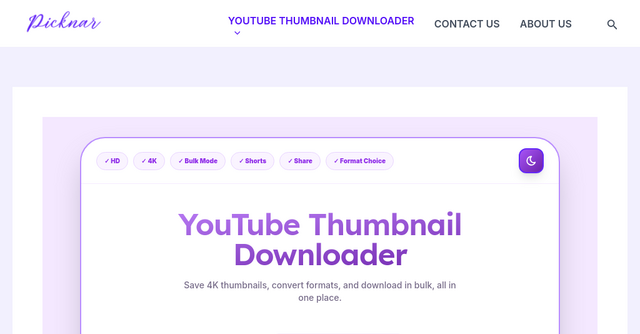
Enter Picknar. It’s a clean, no-nonsense web-based tool that solves a very specific problem: extracting YouTube thumbnails in every available resolution without the fluff.
What is Picknar?
Picknar is a dedicated website designed for creators, designers, and marketers who need to pull high-quality thumbnails from YouTube videos and Shorts instantly. Unlike many other "free" tools online that hide behind forced logins, browser extensions, or aggressive tracking, Picknar is a minimalist utility.
You go to the site, paste your link, and get your image. There’s no account creation, no software installation, and no hidden subscriptions. It’s a pure, browser-based experience that respects your workflow and your privacy.
Why Indie Makers and Creators Need This Tool
As a solopreneur or a member of a lean team, time is your most valuable currency. You don't want to spend ten minutes wrestling with a browser plugin just to grab an image.
Picknar stands out because it prioritizes speed and security. It is built for:
- YouTube Creators: If you’re constantly analyzing your competitors' CTR strategies, you need to see exactly how they are layering their text, faces, and design elements. Seeing these in 4K or high-definition is crucial for spotting the details that make a thumbnail "pop."
- Designers: If you’re building a brand identity or just gathering visual inspiration, having a reliable way to pull assets without watermarks is a lifesaver.
- Digital Marketers: When you’re archiving campaign creatives or auditing content performance, having a fast way to pull the primary visual hook of a video is essential.
- Students and Agencies: Whether you are studying media design or managing a library of creative assets for a client, Picknar provides a consistent, reliable pipeline for obtaining those files.
Key Features That Make a Difference
What sets Picknar apart from an endless list of generic "downloaders" is its focus on high-quality delivery and user privacy.
1. Multi-Resolution Support (Including 4K)
Not all thumbnails are created equal. Depending on when a video was uploaded and the effort the creator put into their custom thumbnail, you might be dealing with anything from standard 640×480 images to crisp 1920×1080 (4K/MaxRes) uploads. Picknar automatically detects and presents every resolution available directly from YouTube’s servers, ensuring you get the highest quality file possible.
2. Full Support for YouTube Shorts
Shorts have become a massive part of the creator economy, but their vertical 9:16 aspect ratio often breaks standard download tools. Picknar is fully optimized for this, pulling 1080×1920 or 720×1280 formats seamlessly. If you’re a content strategist working heavily in the Shorts space, this is a massive productivity booster.
3. Privacy-First Architecture
In an age where every free tool seems to want your email address or access to your browser history, Picknar is a breath of fresh air. They don't store your URLs, they don't collect your personal data, and they don't require a login. The site is HTTPS secure, and because it runs entirely in your browser, you don't have to worry about browser extensions slowing down your computer or tracking your activity.
4. No Watermarks, Ever
There is nothing more frustrating than finding a perfect reference image, only to realize the tool you used stamped its own logo over the corner. Picknar delivers clean, raw files exactly as they appear on YouTube’s CDN. Whether you need the file in JPG, PNG, or WebP, you get the original asset without any intrusive branding.
How to Use Picknar in 3 Simple Steps
You don’t need a tutorial to use the tool, but the workflow is so streamlined it’s worth highlighting just how fast it is:
- Copy your link: Grab the URL of the YouTube video or Short you’re eyeing.
- Paste and Extract: Drop the link into the Picknar input box and hit the "Get Thumbnail" button.
- Choose your format: Select the resolution you need (or grab the direct URL) and save the file.
The tool handles everything else, including detecting whether the video supports high-resolution MaxRes images. If a 1920×1080 version isn’t available, the tool automatically pivots to the next best quality, so you aren't left guessing.
Why This Tool Wins on the Indie Web
We often see "utility" tools on the indie web that try to do too much. They add social sharing buttons, forced newsletters, or AI-generated suggestions that nobody asked for.
Picknar is successful because it does one thing and it does it perfectly. It has even caught the attention of the community on Hacker News, where users praised its focus on speed and its "no-login" philosophy. It’s a classic example of how a well-built, minimalist SaaS tool can solve a real-world pain point for thousands of users without overcomplicating things.
Frequently Asked Questions
Is Picknar really free? Yes, it is completely free to use with no usage limits.
Does this work on my phone? Absolutely. Because it’s a web-based tool, it works flawlessly on mobile browsers—whether you’re on an iPhone or an Android device. It’s perfect for when you’re on the go and need to grab a reference image quickly.
Why is the 4K option sometimes missing? This isn't a limitation of the tool; it’s a limitation of the video itself. YouTube only offers a 4K (MaxRes) thumbnail if the creator manually uploaded one at that size. If the creator didn't upload a custom thumbnail, or if the video is very old, the 4K option simply won't exist on YouTube’s servers for that specific video. Picknar will always show you the best that is available.
Is it safe? The tool is verified safe by Google Safe Browsing and Norton Safe Web. Because it doesn't host files itself—it simply fetches them from YouTube’s official CDN—it is a secure, lightweight utility.
Final Thoughts: A Tool You’ll Actually Keep Bookmarked
Most of the tools we use as indie makers end up in the "used once and deleted" pile. Picknar is different. It’s the kind of utility you keep in your bookmarks bar because it’s reliable, fast, and doesn't get in your way.
If your work involves YouTube content—whether you're a designer looking for inspiration or a creator managing your own assets—give it a try. It’s rare to find a tool that respects your time and your privacy this much.
Ready to streamline your workflow? Head over to Picknar and grab that thumbnail in seconds.