Online Microsoft Sam Text to Speech: Your Free AI Voice Generator
In an era where digital communication has become more innovative and interactive, the revival of the iconic Microsoft Sam voice through modern text-to-speech (TTS) technology is a nostalgic journey many didn't know they needed. Enter the online Microsoft Sam Text-to-Speech tool, a cutting-edge, AI-powered voice generator that breathes life into your text with the classic Microsoft Sam voice. Whether you're looking to entertain, reminisce, or enhance your creative projects, this free online tool is your gateway to transforming written words into spoken wonders, instantly and effortlessly.
Why Experience Microsoft Sam TTS?
The Microsoft Sam Text-to-Speech engine, a staple in early Windows operating systems, is remembered for its distinct and somewhat robotic articulation. Fast forward to today, and the technology has been reborn online, leveraging advanced AI voice synthesis technology to offer not just nostalgia but also improved clarity, tone, and user experience. With this tool, creating videos, memes, or any project that requires voiceover becomes a breeze, offering a unique blend of the past and the present.
The Authentic Microsoft Sam Voice
The charm of the Microsoft Sam voice is undeniable. This tool recreates the original sound with remarkable accuracy, bringing back the distinct intonation and pronunciation that many of us have grown to love (or find amusing). Perfect for users looking to inject a dose of nostalgia into their projects, this feature ensures the classic Microsoft Sam voice is preserved, yet delivered with a contemporary twist.
Free and Instant Online Access
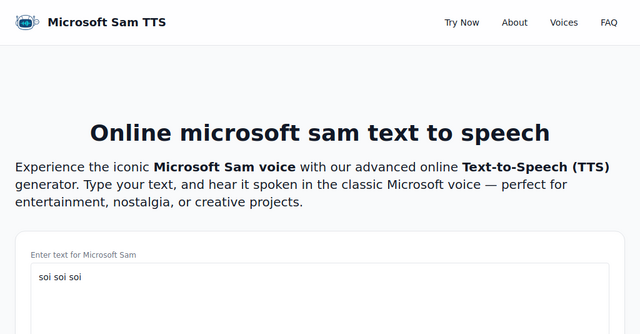
Accessibility is key in today's fast-paced digital world. This online Microsoft Sam TTS tool embodies convenience, eliminating the need for downloads, installations, or registrations. Simply navigate to the website, type in your text, and voila! You're greeted with instant voice synthesis directly in your browser. This ease of use is a significant advantage for users across the board, from content creators to educators, and even casual users looking to have some fun.
AI-Powered Clarity
What sets this online Microsoft Sam voice generator apart is its AI-driven synthesis, enhancing the voice output to deliver smoother, clearer, and higher quality audio. This technological advancement means that not only do you get the nostalgic Microsoft Sam voice, but you also benefit from a modern, improved listening experience. It's the best of both worlds.
How to Use the Online Microsoft Sam TTS Tool
Utilizing this tool is as simple as it gets. Here's a quick guide:
- Enter Your Text: Navigate to the main website here and find the text box where you can input the text you wish to convert.
- Customize Voice Settings: Although the classic Microsoft Sam voice is the star, the tool allows for customization such as pitch and speed, offering flexibility to match your specific needs.
- Listen and Enjoy: With the click of a button, your text is instantly transformed into speech, ready for you to use in any project or simply enjoy.
Practical Applications and Creative Projects
The versatility of the Microsoft Sam TTS tool opens up a plethora of use cases:
- Educational Content: Create engaging and accessible educational materials that cater to various learning styles.
- Video Production: Add a unique voiceover to your videos, whether for YouTube, social media, or personal projects.
- Nostalgic Projects: Revisit the early 2000s with projects that pay homage to the era of Microsoft Sam.
- Entertainment and Memes: Generate humorous content that stands out, perfect for viral memes or simply sharing a laugh.
A Call to Action for Creatives and Nostalgists Alike
Embark on a journey back in time with the Microsoft Sam TTS tool, where nostalgia meets modern technology. Whether you're a content creator seeking a unique voiceover, a professional in need of an engaging instructional tool, or someone who enjoys revisiting the digital past, this online voice generator is ready to transform your text into speech, free of charge and hassle. Dive into the world of Microsoft Sam TTS and let your creativity shine.
Experience the magic of Microsoft Sam's voice anew. Visit https://samtts.net/?ref=indieproducts.io today, and let your words be heard!
FAQs
Is the Microsoft Sam TTS tool really free?
Yes, the tool is completely free to use. You can convert text to speech without any registration or download.
Can I use this tool on my smartphone?
Yes, the website is accessible from any standard web browser, including those on smartphones and tablets.
Are there any limitations on how much text I can convert?
For detailed information on usage limits, please refer to the website. However, the tool is designed to be accessible and useful for a wide range of projects.
Can I use the audio generated for commercial purposes?
Please check the terms of service on the website to understand the guidelines around commercial use of the audio generated.
Unlock the power of voice in your projects with the online Microsoft Sam TTS tool. Your journey from text to speech starts now.