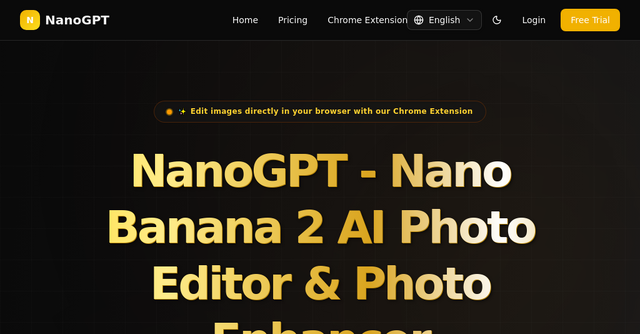
Breathe New Life Into Your Visuals: A Deep Dive into NanoGPT
We’ve all been there: you’re working on a landing page, a social media campaign, or a professional portfolio, and you find the perfect image. There’s just one problem—it’s blurry, pixelated, or trapped in a low-resolution format that screams "amateur."
For indie makers and solopreneurs, your visual identity is often the first thing a potential customer notices. If your product shots or website assets look grainy, your brand authority takes an immediate hit. You could spend hours learning complex photo editing software, or you could leverage modern AI to handle the heavy lifting.
Enter NanoGPT. It’s a powerful SaaS platform designed to take the friction out of image enhancement, restoration, and upscaling. Whether you need to fix a legacy photo for a brand story or upscale a low-resolution logo, this tool is built to turn "good enough" into professional-grade assets in seconds.
What is NanoGPT?
At its core, NanoGPT is an AI-powered photo editing suite that automates the tedious parts of image manipulation. It’s not just another filter app; it’s a robust toolkit for creators who need high-quality results without the learning curve of enterprise software like Photoshop.
As an indie maker, you’re likely balancing development, marketing, and customer support. You don't have time to manually denoise images or spend an afternoon pixel-peeping. NanoGPT bridges that gap by using advanced algorithms to unblur, restore, and enlarge images automatically. It’s a classic example of a SaaS tool done right: solving a specific, recurring pain point with high efficiency and minimal effort.
Why Indie Makers Need an AI Photo Enhancer
In the world of SaaS and digital products, user trust is everything. High-quality imagery is a silent signal of professionalism. When you use NanoGPT to clear up pixelated images or enhance facial details, you aren't just "editing a photo"—you’re optimizing your conversion assets.
Here is why this tool has become a staple in many indie developer workflows:
1. Lightning-Fast Restoration for Old Assets
Do you have old family or brand archive photos that are damaged or faded? The AI Old Photo Restore feature is a game-changer. It automatically detects damage and brings life back to those images, keeping your brand story authentic and visually crisp.
2. Professional HD Upscaling
Low-resolution images are the enemy of responsive web design. If your Hero section looks soft on a 4K monitor, your site feels dated. Using the Photo Enlarger and HD Photo Converter, you can take those tiny, low-res images and blow them up to high-definition quality without losing the crispness that modern displays demand.
3. Specialized Tools for Specific Needs
Not every photo needs the same treatment. NanoGPT goes beyond generic sharpening:
- Face Enhancer: Perfect for headshots and team pages, this tool focuses on facial details to ensure your people look their best.
- Logo Enhancer: Branding is everything. If your source logo file is small, this tool sharpens the edges so it looks clean on everything from business cards to massive website banners.
- Anime and Cartoon Upscaler: A niche but incredibly useful tool for those working in creative industries or building apps with stylized assets.
Practical Use Cases for Your Business
How can you actually integrate this into your daily routine? Let’s look at a few scenarios:
The Portfolio Refresh: You’re a freelancer or agency owner. You have a collection of past project screenshots that are several years old and look grainy. Instead of retaking them, you run them through the AI Photo Enhancer to bring them up to modern standards.
The Social Media Pivot: You’ve found a great photo for a LinkedIn post or a Twitter banner, but it’s slightly out of focus. A quick pass through the Image Sharpener tool makes it look like it was shot on a DSLR, helping your post stand out in a crowded feed.
The Product Launch: You’ve got a transparent PNG of your product logo, but it’s too small for your new landing page layout. Use the PNG Upscaler to increase the size while maintaining that all-important transparent background.
Security and Privacy in Focus
One of the biggest concerns for indie makers when using online SaaS tools is data security. Nobody wants their proprietary images or sensitive brand assets sitting in an insecure cloud. NanoGPT addresses this by prioritizing secure processing. When you use the Denoise Image tool or any of their other features, your images are handled with an emphasis on privacy, allowing you to focus on your creative output without worrying about data leaks.
The Ease-of-Use Factor
The true beauty of NanoGPT lies in its accessibility. There are no layers to manage, no masking tools to master, and no expensive monthly subscriptions for software you only use occasionally. You simply upload, select your desired effect, and let the AI do the heavy lifting.
This "upload-and-go" philosophy is exactly what the indie community needs. We want tools that act as force multipliers—things that make us 10x faster without requiring us to become experts in image signal processing.
Conclusion: Should You Add NanoGPT to Your Stack?
If you are a founder, developer, or creator who deals with images on a daily basis, NanoGPT is a no-brainer. It effectively replaces the need for expensive, complicated photo editing suites for 90% of common tasks.
By automating the restoration, sharpening, and upscaling process, it frees up your most valuable resource: your time. Whether you’re trying to polish your landing page, improve your social media presence, or simply recover old photos, this tool is built to deliver professional results with minimal effort.
Head over to NanoGPT today to try their suite of AI tools for free. See for yourself how much of a difference a little bit of AI-powered clarity can make for your brand.