Stop Fighting with AI: Why Nano Banana Pro is the Consistency Tool Creators Have Been Waiting For
We’ve all been there. You have a vision for a marketing campaign or a story-driven social media post, you feed a prompt into an AI image generator, and you get a beautiful result. But when you try to generate a second image featuring that same character or product, the AI gives you something entirely different. The hair color changes, the branding shifts, or the style just doesn’t match.
For indie makers and solopreneurs, consistency isn’t just a "nice to have"—it’s essential for building a recognizable brand.
That is exactly where Nano Banana Pro steps in. It’s not just another "make me a picture" tool; it’s a professional-grade AI image generator designed to solve the biggest headaches in creative workflows: character continuity, text rendering, and high-resolution output.
What is Nano Banana Pro?
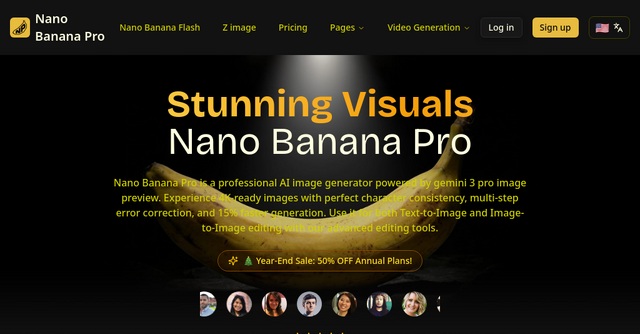
Nano Banana Pro is a web-based AI image generator optimized for creators who need more than just random artistic outputs. Built on advanced technology and powered by the Gemini 3 Pro image preview engine, the platform offers a suite of tools that bridge the gap between "cool experiment" and "professional asset."
Whether you are building a landing page, designing social media ads, or creating storyboards, this website provides the control that many other AI tools lack. It’s built for those who need to move fast without sacrificing the quality of their final deliverables.
Why Character Consistency Changes Everything
If you’ve ever tried to create a series of images for a brand mascot or a recurring character in a project, you know the frustration of "AI drift." Most models treat every generation as a blank slate.
Nano Banana Pro changes the game by prioritizing character continuity. Because the model is built on multi-image understanding technology, it excels at keeping features consistent across multiple generations. For an indie founder, this means you can generate a full campaign set featuring the same protagonist, ensuring your visual storytelling remains cohesive. You aren't just generating images; you are building a visual identity.
Key Features That Matter for Your Workflow
Beyond consistency, Nano Banana Pro is packed with features designed to save you time and improve your output quality. Here is why these features actually move the needle for your business:
1. Crystal-Clear Text Rendering
One of the most persistent issues in AI art is garbled, nonsensical text. Nano Banana Pro features an advanced text engine that produces high-fidelity, readable text within images. This is a massive win for anyone creating posters, logos, or marketing banners where headlines and labels need to be crisp and professional.
2. High-Resolution 4K Deliverables
Many AI tools default to low-resolution outputs that look great on a phone screen but pixelate the moment you try to print them or use them on a high-DPI monitor. Nano Banana Pro offers 4K resolution generation, making it a viable tool for professional printing, large-scale displays, and high-quality marketing materials.
3. Nano Banana Edit (Image-to-Image)
Sometimes you don't want to start from scratch. With the Nano Banana Edit tool, you can upload up to 10 existing images and use AI prompts to reimagine them. This is perfect for transforming raw product photography into stylized creative assets or turning simple sketches into polished marketing visuals while preserving the key features of the original upload.
4. Lightning-Fast Generation
Time is the most valuable currency for an indie maker. Built on an optimized architecture, Nano Banana Pro is roughly 15% faster than its predecessors. You can expect high-quality renders in just 3 to 10 seconds, which keeps your creative momentum going during long editing sessions.
5. Flexible Aspect Ratios
Whether you need a square 1:1 for your Instagram feed or an ultrawide 21:9 for a website hero banner, the platform has you covered. It supports 11 different aspect ratios, meaning you can stop cropping and resizing your images after the fact—just generate the format you need from the start.
Comparing the Tiers: Which One Fits Your Needs?
Nano Banana offers a tiered approach to help you balance your creative needs with your budget and credit usage:
- Nano Banana: Best for quick drafts, testing prompts, and social media visuals. It excels at getting your headlines and basic layouts down without burning through credits.
- Nano Banana 2: The go-to for high-frequency testing. It offers a great balance of quality and cost, making it ideal for multi-image references and refining your ad concepts.
- Nano Banana Pro: The flagship experience. If you are producing final assets, character sheets, or high-resolution campaign materials, this is the tier you want. It offers the most polished typography, the best layout control, and the highest resolution.
Practical Scenarios for Indie Founders
How can you actually use this in your daily business? Here are a few ways to leverage the power of Nano Banana Pro:
- E-commerce Poster Design: Use the Pro model to generate product ads that require strict prop counts and readable text. You can maintain a consistent aesthetic for every product in your store.
- Storyboarding: If you are building a pitch deck or an explainer video, use the consistency features to keep your characters looking the same in every single frame of your storyboard.
- Social Media Content: Instead of relying on stock photos that everyone else is using, generate custom, high-resolution imagery that aligns perfectly with your brand colors and tone.
- Reimagining Assets: Use the Image-to-Image feature to take a generic photo of your office or workspace and turn it into a stylized, branded image for your "About Us" page.
Getting Started
The barrier to entry is low. Whether you are doing text-to-image to create something from nothing, or using the edit feature to transform existing photos, the process is straightforward:
- Select Your Mode: Choose between Text-to-Image or Image-to-Image.
- Upload (If needed): If you're editing, upload your base assets (up to 30MB each).
- Prompt & Configure: Describe your vision (up to 5000 characters), pick your aspect ratio, and choose your format.
- Generate: Get your results in seconds.
If you’re tired of AI tools that give you beautiful but unusable results, it’s time to try something built for professionals. Nano Banana Pro gives you the control you need to stop guessing and start creating. Give it a try for your next project and see how much time you save.