Stop Wasting Time on AI Image Generation: A Deep Dive into Nani
If you’ve spent any time using AI image generation for professional work, you know the cycle: you write a prompt, get a decent result, lose it in a chaotic feed, and then spend twenty minutes trying to recreate the same style for your next project. It’s frustrating, it’s disorganized, and frankly, it’s a productivity killer.
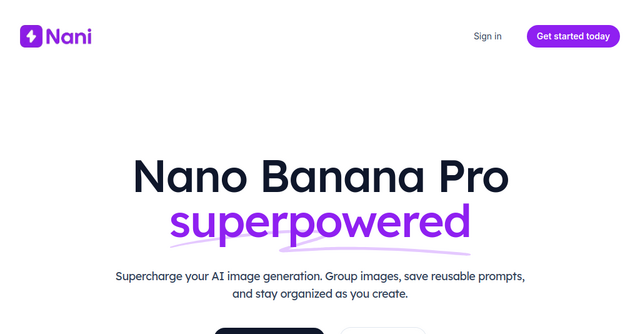
Most AI tools are designed for one-off creative experiments. They aren't built for the repetitive, structured workflows that indie makers and solopreneurs need to scale their brands. That’s exactly where Nani comes in. It’s a dedicated workflow tool built specifically to supercharge Nano Banana Pro (Gemini), turning a messy generation experience into a streamlined, organized asset library.
What is Nani?
At its core, Nani is a web-based optimization layer that sits on top of Nano Banana Pro. It isn’t just another wrapper; it’s a workspace designed to solve the "lost in the feed" problem. If you are a creator who needs consistent characters, specific brand styles, or a library of reusable assets, Nani transforms the way you interact with AI.
Because it is a Website platform built for efficiency, it removes the friction of navigating sluggish interfaces. Whether you are creating social media graphics, UI mockups, or marketing assets, Nani ensures that your workflow remains professional and, most importantly, repeatable.
Key Features That Change the Workflow
Nani focuses on the "meta-work" of AI generation—the organization and preparation that happens before you even hit the generate button. Here is why these features matter for your indie business:
1. Image and Prompt Sets
The biggest hurdle in AI art is consistency. If you need to generate a series of images for a product launch, you need the same character or the same aesthetic style across ten different scenes. Nani allows you to save reference images and style prompts into "Sets." Instead of re-typing your brand guidelines or re-uploading your reference photos every time, you simply call upon your pre-saved building blocks.
2. Composable Prompts
Think of this as "modular" prompt engineering. You can combine different sets naturally. Want to use your "Corporate Minimalist" style set with your "Laptop User" character set? You can compose these prompts in seconds without having to manually patch together long, complex strings of text from a notepad file.
3. Visual Iteration
Usually, if you want to use a previous AI generation as a reference, you have to download it to your desktop and re-upload it to the tool. Nani eliminates this step entirely. You can drag previous results directly back into your workflow as references. It turns the generation process into a fluid, iterative loop rather than a series of disconnected events.
4. Folder Organization
As an indie maker, your library grows fast. Scrolling through a single, chronological feed of hundreds of images is a nightmare. Nani lets you create folders, filter by favorites, and perform bulk actions. It’s about keeping your assets tidy so you can actually find what you created three months ago.
Why This Matters for Indie Makers
As solopreneurs, our time is our most limited resource. When you are juggling product development, marketing, and customer support, you don't have time to fight with your tools.
Nani is built for the professional who needs:
- Speed: No sluggish loading times or navigation delays.
- Predictability: No more "guessing" what the AI will output. By using your saved sets, you significantly increase the likelihood of getting the result you want on the first or second try.
- Scale: Because your assets are organized in folders, you can build a massive library of brand-consistent images that grows with your business.
The Financial Advantage: Simple Credit-Based Billing
One of the most refreshing aspects of Nani is its approach to pricing. In an era where every tool forces you into a recurring monthly subscription, Nani keeps it simple.
- Pay as you go: There are no monthly fees or subscription commitments.
- Fair pricing: Generating an image costs roughly 30¢ for 1K or 2K resolution.
- Durability: Your credits never expire. If you buy a batch of credits, they stay in your account until you use them.
- Bonus value: You get bonus credits on larger purchases, and all features are unlocked from day one.
For a bootstrapped indie project, this is a massive win. You only pay for what you actually create, and you don’t have to worry about a "dead" subscription draining your bank account during a slow month.
Practical Use Cases for Your Business
How can you actually use Nani in your day-to-day?
- Consistent Social Content: Save a "Brand Style" prompt set that includes your specific color palette and lighting preferences. Every time you need a new social post, load that set and just swap the subject matter.
- Character Consistency: If you are developing a mascot or a recurring character for your SaaS marketing, save that character’s description in a Set. You can then drop that character into any scene, in any location, without losing the "look."
- Collaborative Design: Use the shareable links feature to show your progress to a co-founder or a freelancer. They can even recreate your work within their own accounts, making it a powerful tool for design handoffs.
Final Thoughts: Is Nani Right for You?
If you are just playing around with AI images for fun, any basic tool will do. But if you are trying to build a brand, generate consistent marketing materials, or streamline your creative pipeline, Nani is a game-changer.
It takes the raw power of Nano Banana Pro and gives it the professional structure it deserves. By focusing on organization, reusability, and a fast, no-nonsense interface, it solves the primary pain points that keep indie makers from using AI as a serious business tool.
Ready to stop the endless scrolling and start building a real asset library? Head over to their website and take advantage of the 5 free credits to see how much faster your workflow can be.