From Idea to Audio: A Deep Dive into MiniMax Music 3.0
Staring at a blank timeline in your DAW while trying to capture a specific mood is a creative bottleneck we’ve all faced. Whether you’re a solopreneur building a brand, a game developer needing a background track, or a content creator hunting for the perfect vibe to match your visuals, the gap between "I have an idea" and "I have a finished file" is often where momentum dies.
For indie makers, speed is our greatest asset. We don't always have the budget for a professional composer or the time to spend hours fine-tuning a MIDI sequence. This is exactly where MiniMax Music 3.0 enters the picture. It’s a specialized SaaS tool designed to bridge that gap, turning text prompts and lyrics into high-quality audio tracks.
If you’ve been looking for a way to prototype musical ideas or generate background audio without needing a degree in music production, here is why this platform deserves a spot in your creative toolkit.
What is MiniMax Music 3.0?
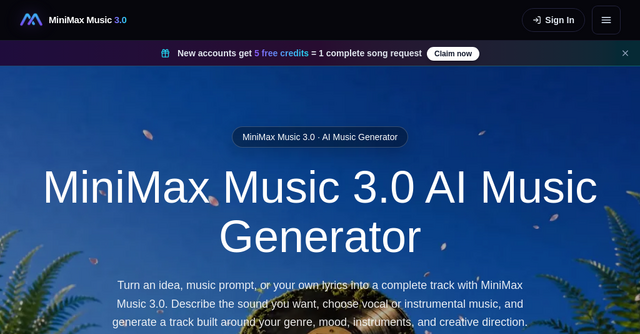
At its core, MiniMax Music 3.0 is an AI-powered audio generation platform that prioritizes rapid iteration. Instead of forcing you through a complex, multi-layered editing interface, it streamlines the process: describe the sound, provide your lyrics (or keep it instrumental), and hit generate.
It’s built for creators who value utility over perfection. It’s not necessarily trying to replace professional studio recording, but it is exceptionally good at helping you explore sonic territories quickly. Because it’s a web-based SaaS, there’s no heavy software to install—you can jump in, test an idea, and refine your output in minutes.
Why Indie Makers Need Faster Audio Prototyping
When you are shipping products, the "vibe" of your content—be it a landing page video, a social media clip, or a game—matters. But you rarely need a Grammy-winning production for a 30-second product demo. You need something that fits the mood, hits the right tempo, and complements your work.
MiniMax Music 3.0 solves the "creative block" problem by allowing you to experiment with:
- Genre and Mood: You can dictate the energy, from lo-fi hip-hop for a relaxed aesthetic to driving synthwave for high-energy tech demos.
- Structure: Whether you need a full song with a verse, chorus, and bridge, or just a short instrumental loop, the platform gives you control over the arrangement.
- Iteration: The most important feature for any maker is the ability to "Generate Again." If the first result isn't quite right, you can tweak your prompt—perhaps adding "more bass" or "faster tempo"—and get a new version instantly.
Key Features That Make a Difference
1. Flexible Input Methods
The platform doesn't force a "one size fits all" workflow. You can start with a simple text-to-music prompt if you have a vague idea of the mood. If you have specific lyrics written, you can plug them in, and the AI will handle the vocal melody and phrasing. This flexibility is vital for people who have half-formed ideas and need a tool that can "fill in the blanks."
2. Vocal vs. Instrumental Modes
Not every project needs a singer. Sometimes you need a background track that won't distract from a voiceover. By choosing "Instrumental Mode," you tell the model to focus entirely on the arrangement, rhythm, and instrumentation. When you do need vocals, the "Vocal Mode" generates natural-sounding tracks that can serve as excellent demos for song ideas or creative projects.
3. The "Listen and Refine" Workflow
The interface is designed to keep your controls close together. You see your prompt, your lyrics (if applicable), and your generated result in one view. This is a massive time-saver. Instead of digging through menus, you can adjust your prompt based on what you just heard and iterate immediately. It’s this short feedback loop that makes it a powerful SaaS tool for rapid prototyping.
Real-World Use Cases
Who is actually using a tool like this? The beauty of MiniMax Music 3.0 is its versatility across different indie disciplines:
- Social Content Creators: Need a unique background track for a TikTok or Instagram Reel? Instead of scrolling through generic stock music libraries and worrying about copyright, you can generate a track that is tailored specifically to the mood of your video.
- Game Developers: Prototyping a level? You can quickly generate placeholder music that matches the environment—be it cinematic, ambient, or upbeat—to see how it feels in-game before committing to a final soundtrack.
- Product Marketers: If you’re putting together a pitch deck or a product walkthrough, a custom-generated track can make a huge difference in the perceived quality of your presentation.
- Songwriters: Use the platform to test lyric phrasing or chord progression ideas. It’s an incredible tool for "sketching" out a song to see if the structure works before you head into a more formal recording environment.
How to Get Started with Your First Track
Getting started is straightforward. You don't need to be a sound engineer to get a professional-sounding result. Here is the typical workflow:
- Describe the Sound: Be specific. Instead of just saying "happy music," try describing the instruments (e.g., "acoustic guitar, soft piano") and the energy (e.g., "intimate, morning vibe").
- Choose Your Format: Decide if you want a vocal track or an instrumental. If you have lyrics, paste them into the editor.
- Generate: Let the MiniMax Music 3.0 engine do the heavy lifting.
- Refine: Listen to the output. If the energy is slightly off, tweak the prompt and generate again. Because the process is so fast, you can often find the "perfect" version in just two or three tries.
Is It Right for You?
If you are a professional composer looking for a tool with 100+ tracks of granular mixing control, this probably isn't it. But that isn't the target audience.
This platform is for the indie builder who needs to move fast. It’s for the person who has a million ideas and needs a tool that can keep up with the speed of their creativity. It’s a utility that removes the technical barriers between a spark of inspiration and an audible result.
If you’re tired of spending hours searching for stock music that almost fits, or if you’ve been putting off adding audio to your projects because it felt too daunting, give it a try. Head over to the MiniMax Music 3.0 website, test out a prompt, and see how much faster your creative workflow can become.