Stop Fighting Video Editors: How Melograph Simplifies Music Promotion
You’ve just finished the final mix of your latest track. It sounds crisp, the levels are balanced, and you’re ready to share it with the world. Then, the realization hits: you need a video to promote it. You open up your video editing software, stare at a blank timeline, and suddenly, three hours have passed. You’re buried in keyframes, struggling with export settings, and the momentum you felt is completely gone.
Most musicians and indie creators know this pain all too well. We want our music to have a professional, scroll-stopping visual presence on social media, but we aren't all professional video editors. We don't have the time to learn complex software just to post a 30-second teaser.
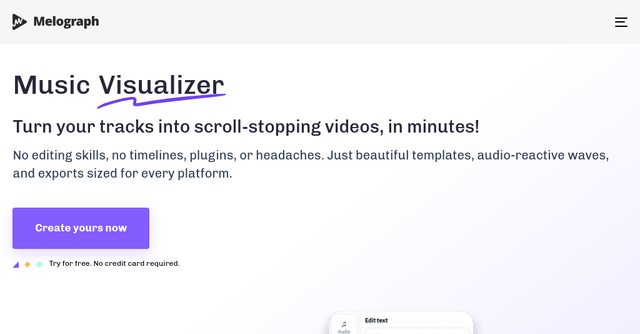
This is exactly where Melograph changes the game. It’s a specialized website designed to bridge the gap between "I have a track" and "my video is live on Instagram," without the headache of traditional editing suites.
What is Melograph?
Melograph is a web-based music visualizer maker built specifically for musicians, producers, and labels who need high-quality visuals on a consistent schedule. Instead of forcing you to build scenes from scratch, it provides a library of premium, audio-reactive templates.
You don’t need to be a designer or an editor. You simply pick a vibe, upload your audio, input your text, and export. It’s a tool built for the "ship fast" mentality that indie creators rely on.
Why Musicians Are Moving Away from Traditional Editors
If you’ve ever tried to make a music visualizer in software like Adobe Premiere or After Effects, you know the process is overkill for a simple social media promo. You have to worry about plugins, tracking waveforms, managing heavy render files, and ensuring the aspect ratio fits whatever platform you’re posting to.
Melograph removes these friction points by focusing on a streamlined, browser-based workflow. Here is why it’s becoming a go-to tool for the indie community:
1. Zero Timeline Complexity
There are no timelines to manage. You aren't cutting clips or syncing audio manually. The platform handles the heavy lifting of audio-reactivity automatically. When you upload your track, the waveform reacts to the beat instantly. Because it’s a dedicated website tool, everything happens in your browser, meaning you don’t need a high-end machine to render your projects.
2. Built for Platform-Specific Formats
We’ve all seen videos that look great on a desktop but get cropped awkwardly on a phone. Melograph solves this by allowing you to export in the exact formats you actually need: 9:16 for TikTok and Reels, 1:1 for Instagram posts, 4:5, and the classic 16:9 for YouTube. You can be confident that your artist name and song title will remain readable and perfectly framed, regardless of where your audience is listening.
3. Consistent Branding Without the Effort
One of the hardest parts of being an indie artist is building a recognizable brand. If your visual style changes every time you release a new single, your audience has a harder time connecting with your aesthetic. With Melograph, you can pick a template that matches your specific vibe—whether that’s minimal, cinematic, retro, or futuristic—and reuse that same style for your teasers, releases, and looped background visuals. It turns your visual presence into a repeatable, scalable workflow.
Key Features for the Modern Creator
When you dig into the Melograph interface, you’ll notice that it prioritizes speed without sacrificing quality. Here are the features that make it stand out:
- Audio-Reactive Waveforms: The platform doesn't just overlay a static image; the visuals actually "dance" to your music. You can choose from multiple waveform styles to ensure the motion fits the energy of your track.
- Browser-Based Rendering: Forget waiting for massive files to render on your computer. Because the rendering happens locally in your browser, you get your 1080p MP4 files quickly.
- No Watermarks: Many free tools force you to keep their logo on your video. Melograph allows for clean, professional exports, which is essential if you are using these for commercial releases.
- Easy Customization: You can easily add your album cover, logo, and text. The interface is intuitive enough that you can create a professional-grade video in the time it takes to brew a cup of coffee.
Practical Use Cases: When to Use Melograph
You might be wondering if this tool fits your specific workflow. Here are a few ways indie creators are using the platform:
- The "Teaser" Campaign: Before a big release, you need to build hype. Use a "futuristic" or "cinematic" template to drop a 15-second snippet of your track on Instagram Reels.
- The Full Single Release: Instead of just uploading a static image to YouTube, use a minimal, high-quality visualizer to give your listeners something to look at while they focus on the music.
- Repurposing Content: If you have a remix or a series of singles, you can build a consistent "visual identity" for your music. By using the same template settings across multiple tracks, you create a cohesive look that makes your profile look like a professional label’s feed.
- Looped Backgrounds: If you do live streams or want to create "aesthetic" backgrounds for your social media stories, the loopable nature of these templates is perfect.
Pricing That Makes Sense for Solopreneurs
One of the most attractive aspects of Melograph is its transparent, no-nonsense pricing. They understand that as an indie maker, you don't want to be locked into a massive annual contract if you’re only releasing one track a month.
- Pay As You Go ($5): Perfect for the occasional creator. You get one export credit for a one-time purchase. No subscription, no commitment.
- Subscription Plans: If you are a prolific producer or a label, the monthly ($19) or annual ($179) plans offer 25 export credits per month. The annual plan is particularly cost-effective, effectively giving you two months free.
All paid plans unlock the full template library and include commercial use rights, so you don't have to worry about licensing issues when you promote your music.
Final Thoughts: Is It Right for You?
If you are a musician or a creator who feels like they are spending more time fighting with video editing software than actually creating music, Melograph is a breath of fresh air. It’s not trying to compete with professional-grade editing tools like Premiere or DaVinci Resolve; instead, it's solving a very specific problem for a very specific type of user.
By removing the "video editing headaches," it allows you to get back to what matters most: your art. If you want a repeatable, professional-looking workflow that makes your music stand out on mobile feeds, give their free version a try. You don’t even need a credit card to see how your tracks look in their templates.
Stop letting your music go unnoticed because you didn't have time to make a video. Head over to Melograph and start turning your tracks into scroll-stopping visuals today.