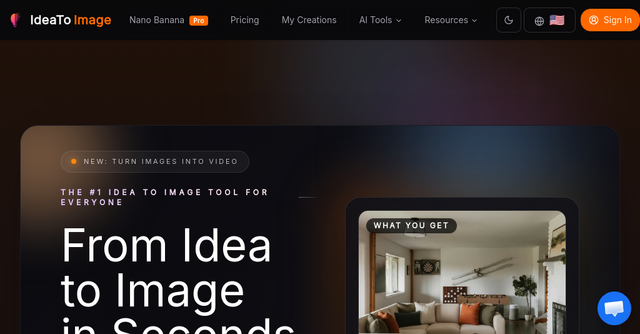
Stop Starting From Scratch: How Idea To Image Streamlines Your Visual Workflow
We’ve all been there. You have a vision for a social media post, a product mockup, or a slide for your next pitch deck. You spend an hour wrestling with complex design software, or worse, you spend even longer trying to prompt an AI generator to get the composition just right—only to have it change the one thing you actually liked about the original.
For indie makers and solopreneurs, time is your most valuable asset. You don’t need more tools that require a steep learning curve; you need tools that fit into your existing workflow. That’s exactly where Idea To Image comes in. It’s a specialized SaaS tool designed to bridge the gap between a raw idea and a polished, share-ready visual without the usual friction.
What is Idea To Image?
At its core, Idea To Image is an image-to-image AI generator and editor built for people who need practical results. Unlike generic text-to-image models that often feel like a "black box" where you lose control the moment you hit generate, this platform is designed to preserve the elements you want to keep while allowing you to iterate on the rest.
Whether you are looking to restyle a portrait, swap out a background for a product shot, or turn a rough sketch into a professional-looking graphic, this tool acts as a force multiplier for your creative output. It’s built for creators who need to move from "rough draft" to "polished asset" in minutes, not hours.
Why Indie Makers Are Choosing This SaaS Tool
As an indie founder, you’re likely wearing every hat—including the designer’s hat. You don’t have a massive budget for stock photography or a dedicated creative team. Idea To Image solves this by focusing on the "edit-first" philosophy.
Here is why it stands out in the crowded market of AI tools:
1. Consistency is Built-In
The biggest frustration with many generative AI tools is randomness. You get a great image, but it’s the wrong format or the wrong style, and you can’t replicate it. With this tool, you can upload a reference image to keep your style, layout, and subject consistent. This is a game-changer when you’re building a cohesive brand identity for your SaaS.
2. Targeted Edits Without the "Reset"
How many times have you generated an image, loved the subject, but hated the jacket color? Usually, you’d have to regenerate the whole prompt and hope the AI keeps the face correct. Idea To Image allows for targeted edits. You can refine specific details—like fixing an object, changing a color, or cleaning up a label—without having to rebuild your entire composition from scratch.
3. Workflow-First Design
The interface is intentionally low-friction. You upload your source, describe the change, and let the model handle the heavy lifting. By allowing you to specify what must remain stable (like a product angle or a specific person) and what should change (like the background or the lighting), it turns the AI into a collaborator rather than a slot machine.
Practical Use Cases for Your Business
If you’re wondering how this fits into your daily grind, here are a few ways to leverage Idea To Image to save time and look more professional:
Restyling Portraits and Social Content
Need a professional headshot for your "About Me" page or a stylized version of yourself for a LinkedIn post? Instead of booking a studio session, you can take a simple photo and use the AI to shift the mood, lighting, or setting while keeping your identity intact.
Professional Product Shots on a Budget
Product photography is expensive. If you have a decent shot of your product but the background is cluttered or distracting, you can use the AI to replace the background with a studio-quality or lifestyle setting. This keeps your product front and center while elevating the overall aesthetic of your marketing materials.
Turning Rough Drafts into Key Visuals
Have a napkin sketch of a UI concept or a rough mockup of a landing page hero section? You can feed that draft into the tool and use it to generate a polished, high-resolution visual. It’s perfect for internal concept reviews or creating a "hero" image for a landing page when you aren't quite ready to hire a professional designer.
Generating Matching Campaign Assets
When you’re running a launch campaign, you need consistency across Twitter, Instagram, and your email newsletter. By using one starting image as a foundation, you can generate multiple variations that feel like they belong to the same family, ensuring your brand looks professional and well-coordinated across all channels.
How to Get Started
Getting started is straightforward, which is exactly what you want when you're deep in "build mode."
- Choose your source: Upload the image you want to work with. Remember, a cleaner starting image gives the AI a better foundation to work from.
- Define your edit: Use natural language to describe what you want. Be specific about what needs to stay (e.g., "keep the product placement") and what needs to change (e.g., "change the background to a minimalist office setting").
- Refine and Export: Review the outputs, select the one that hits the mark, and export it for your social, product, or presentation needs.
Final Thoughts
In the world of SaaS and indie development, we often get caught up in the "build" and overlook the "show." But your visual presentation matters—it’s often the first thing a potential customer sees.
If you are tired of fighting with generic AI tools that don’t respect your original vision, give Idea To Image a try. It’s a practical, no-nonsense tool that helps you spend less time editing and more time growing your business.
Ready to streamline your visual workflow? Head over to Idea To Image and start experimenting with your own assets today. It might just become the most used tool in your indie-maker stack.