Why Your Mac’s Built-in Dictation Isn’t Enough: A Review of Hush Touch
We’ve all been there. You’re in the middle of a flow state, ready to draft that important email or document, and you decide to save time by using voice-to-text. But five seconds in, you’re manually deleting "umms," fixing misspelled technical jargon, and fighting with a system that seems to misunderstand your intent entirely.
Standard dictation tools often feel like a compromise. They either require a constant internet connection—sending your private thoughts to the cloud—or they simply lack the intelligence to handle the nuances of human speech.
Enter Hush Touch, a lightweight, privacy-first Mac application that changes the game. If you are an indie maker, a developer, or a content creator who spends your day at a keyboard, this tool isn't just another utility; it’s a fundamental upgrade to your writing workflow.
What is Hush Touch?
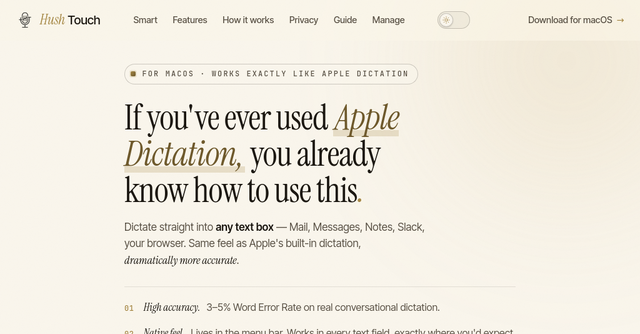
At its core, Hush Touch is a high-performance, on-device voice-to-text engine for macOS. Unlike cloud-based transcription services that rely on external servers, Hush Touch performs all of its processing locally on your machine.
It uses a sophisticated, dual-engine approach. By running two Apple transcription engines in parallel and adding an Apple Intelligence final pass, the app produces text that feels "human-ready" the moment it hits your screen. It’s designed for professionals who want the speed of dictation without the privacy risks or the frustration of constant editing.
Why Privacy-First Dictation Matters
For solopreneurs and indie founders, your data is your competitive advantage. Whether you are drafting a private business strategy, writing sensitive emails, or documenting proprietary code, the idea of your voice being sent to a third-party server to be "processed" is, at best, a security concern and, at worst, an unnecessary risk.
Hush Touch is built with a "zero-network" philosophy. Everything—from the speech recognition to the vocabulary learning—happens locally on your Mac. You can verify this yourself with a network monitor; the app makes zero network requests. It works perfectly on a plane, in a remote cabin, or anywhere else you happen to be working. If you value digital sovereignty, this is the gold standard for dictation apps.
Key Features That Change the Writing Workflow
Hush Touch isn't just about converting audio to text; it’s about refining that text into something you can actually use. Here is why the app stands out:
1. It Actually Removes the "Filler"
We all use filler words—"um," "like," "you know"—when we think out loud. Most dictation software transcribes these verbatim, forcing you to go back and manually clean up your text. Hush Touch identifies these false starts and filler words and quietly removes them, leaving you with a clean, professional sentence structure right out of the gate.
2. It Understands Your Corrections
Have you ever dictated a sentence, realized you made a mistake, and corrected yourself mid-flow? Hush Touch is smart enough to recognize those backtracks. If you say, "Let's meet at two, actually three," the app intelligently keeps the final intended time ("three") and discards the correction process. It mimics the way you naturally speak, not the way a computer expects you to talk.
3. It Learns Your Unique Vocabulary
This is perhaps the biggest "aha!" moment for developers and niche professionals. If you work with technical jargon—like kubectl, specific library names, or proprietary brand terms—standard dictation tools usually mangle them. Hush Touch learns from your corrections. Correct a word once, and it remembers it for the future. With support for up to 500 custom terms and per-app profiles, it adapts to your specific line of work, whether you are a programmer, a physician, or a writer.
4. Dual-Engine Precision
The secret sauce is in the Hush Touch engine architecture. It blends two Apple dictation engines in real-time. One handles the natural flow and punctuation, while the other acts as a spotter for your custom vocabulary. A final pass by Apple Intelligence then refines the output, resulting in a significantly lower Word Error Rate compared to standard native solutions.
Real-World Use Cases
How does this fit into your day?
- Drafting Emails: Stop typing out repetitive responses. Use one of the context modes to dictate a quick, professional reply, and use the "okay send message" command to finish the task without touching your mouse.
- Coding & Technical Notes: For software engineers, dictating documentation or comments can be tedious due to technical terms. Because Hush Touch learns your jargon, you can dictate complex command-line instructions or framework names without the software "correcting" them into common English words.
- Creative Writing: When you're in the flow, the barrier between your brain and the screen is the biggest hurdle. By using a hotkey to trigger Hush Touch, you can capture ideas as fast as you can speak them, letting the app handle the formatting and punctuation for you.
A "Set It and Forget It" Experience
One of the most impressive things about this tool is how unobtrusive it is. The app is incredibly lightweight—weighing in at just 5.5MB—and integrates seamlessly into macOS. You can trigger it with a simple hotkey or even use "Hey Siri" to start dictating hands-free.
It handles formatting, such as numbered lists, and allows for auto-insertion after a short pause, meaning you don't have to hover over the app to stop it. It just works.
Pricing and Final Thoughts
In an era of subscription fatigue, it is refreshing to see a developer offer a lifetime license. For a flat fee, you get the full power of the app with no usage limits, no telemetry, and no hidden costs. It is a one-time investment in your productivity that pays for itself in saved time within the first few weeks of use.
If you are tired of the "cloud-first" approach to software and want a tool that respects your privacy, learns your vocabulary, and actually makes you faster, Hush Touch is the best tool on the market for the job.
Ready to upgrade your dictation? Check out Hush Touch here and see how much faster your writing can be when your tools finally understand you.