Stop Struggling With Video Editing: How ngram Turns Your Ideas Into Professional Demos
You’ve spent weeks building a feature, refining your landing page, or crafting the perfect user documentation. Now, you need to share it with the world. You know a video would convert better than a wall of text, but then the reality sets in: you have to pick a tool, learn a timeline, export, re-edit, and struggle with motion graphics. Suddenly, that "quick" video takes three days of work you don't have.
For indie makers and lean product teams, video production is often the biggest bottleneck in the growth loop. You’re great at building products, but you aren't necessarily a video editor.
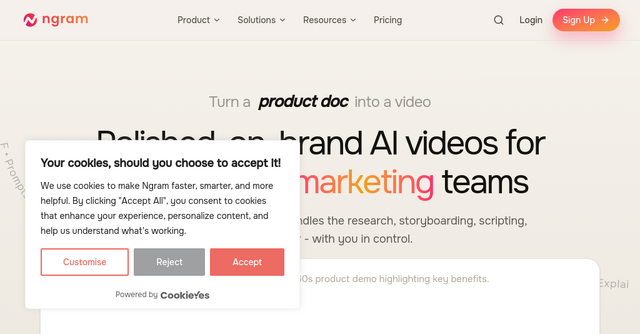
This is exactly where ngram changes the game. It isn't just another screen recorder; it’s an agentic AI video creation platform that acts like a production team sitting at your desk.
What is ngram?
At its core, ngram is a platform that transforms raw inputs—PDFs, URLs, screen recordings, or even messy, half-formed ideas—into polished, professional product videos.
Unlike traditional video editors that force you to drag and drop clips on a timeline, ngram handles the heavy lifting. It researches your context, builds a storyboard, writes the script, handles the voiceover, and applies motion graphics automatically. It is designed for founders, marketers, and product teams who need high-quality content consistently but lack the time or expertise to handle complex production workflows.
Why Product Teams Need an Agentic Approach
Most video tools require you to be the director, the editor, and the scriptwriter. You spend 80% of your time clicking on timelines and 20% of your time actually communicating your product's value.
ngram flips this ratio. Because it is an agentic AI, it plans before it renders. When you provide your inputs, the platform analyzes them to understand the goal of the video. It knows the difference between a high-energy product launch and a calm, step-by-step customer onboarding tutorial.
By automating the "boring" parts of video creation—like trimming dead air, adding transitions, and syncing music—it allows you to focus on the one thing that matters: the story of your product.
Key Features That Save You Hours
1. Multi-Format Input
You don't need to start from scratch. Whether you have a technical document, a URL to your latest landing page, or a rough screen recording of a bug fix, ngram can ingest it. This makes it incredibly easy to repurpose existing assets into marketing content.
2. Plain Language Refinement
One of the most impressive aspects of the ngram website experience is the control it gives you. You don't have to restart a project if you don't like the pacing. You can simply use plain language to iterate: "shorten scene two," or "make the tone more enthusiastic." It’s like having a conversation with an editor rather than wrestling with software.
3. Smart Visuals and Motion Graphics
We’ve all seen "AI" videos that look generic. ngram differentiates itself by handling the motion graphics for you. It automatically adds callouts, highlights, step labels, and smart zooms on your screen recordings. It fills in the gaps with generated visuals that match your specific scene, ensuring that even if your raw footage isn't perfect, the final output looks like it came from a professional creative agency.
4. Brand Consistency
For startups, maintaining a brand identity is crucial. With ngram, you set your brand kit once—your colors, fonts, logo, and intro/outro styles. Every video you export will feel like it belongs to the same product family, regardless of whether you’re creating a social clip for TikTok or a detailed tutorial for your support docs. Plus, it handles multi-format exports (16:9, 9:16, 1:1) from a single project, meaning you can hit every channel without re-editing.
Practical Use Cases for Indie Makers
If you’re running a SaaS or an indie product, you are likely wearing a dozen hats. Here is how ngram fits into your daily workflow:
- Product Launches: Instead of spending a week producing a launch trailer, feed your product docs and key feature list into ngram. You’ll have a professional announcement video ready to share on social media in minutes.
- Customer Onboarding: Stop sending long, confusing emails. Use your product’s existing documentation to generate a walkthrough video that guides new users through the setup process.
- Sales Enablement: Create personalized, high-quality feature demos for prospective clients. Because you can iterate quickly, you can create a unique video for different target audiences without starting from scratch every time.
- Repurposing Content: Turn a long-form webinar or a podcast episode into ten punchy social media clips. The platform's ability to handle raw recordings means you can turn an hour of messy footage into a series of polished, bite-sized insights.
Why This Matters for Your Growth
Video is no longer optional. It’s the primary way users learn about software, and it’s the most effective way to communicate complex value propositions. But for an indie builder, "perfect" is often the enemy of "done."
By removing the production overhead, ngram allows you to ship videos at the same speed you ship code. You get the polish of a dedicated video team with the control of a solopreneur.
If you’re tired of the "video production bottleneck" and want to focus on growing your product, it’s time to stop editing and start creating. Head over to their website, describe your idea, and see exactly what kind of content you can build in minutes rather than days.