Stop Paying for Form Submissions: Why FlowyForm is the SaaS Tool Every Indie Maker Needs
We’ve all been there. You’re building your landing page, setting up your lead magnet, or designing a customer feedback loop. You find a sleek, popular form builder, spend hours customizing it, and launch your site. Then, the traffic starts coming in, and suddenly you hit a "submission limit."
To keep your forms live, you’re forced to upgrade to a $30/month plan just to collect a few extra emails. For indie makers and bootstrapped founders, these hidden costs are a death by a thousand cuts.
That’s exactly why I was excited to stumble upon FlowyForm. It’s a refreshing alternative in the crowded SaaS space that actually puts the user—not the profit margin—first.
What is FlowyForm?
FlowyForm is a robust, conversational form builder designed to replace clunky, expensive legacy tools like Typeform or Jotform. While most competitors lock their best features behind a paywall and throttle your data collection with submission caps, FlowyForm takes a different approach: they offer unlimited forms and unlimited submissions on their free plan.
Whether you are a solo founder building your first MVP, a creative agency managing client intake, or a developer needing a reliable way to collect data, this SaaS tool is built to scale with you without the financial friction.
Why FlowyForm Stands Out for Indie Makers
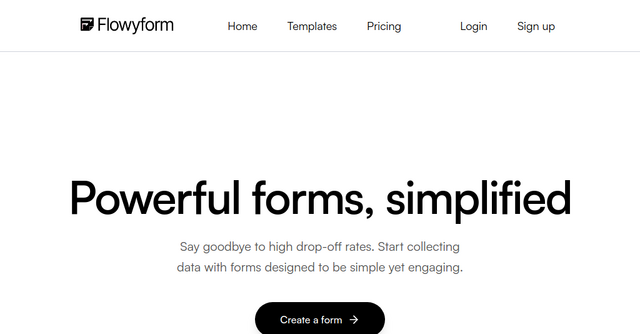
The beauty of FlowyForm lies in its "powerful, simplified" philosophy. It doesn’t just collect data; it makes the process of filling out a form feel like a natural conversation. Here is why it has quickly become a go-to for the indie community:
1. No More Arbitrary Limits
The biggest pain point with mainstream form builders is the "submission wall." FlowyForm eliminates this entirely. You can collect as much data as you need without worrying about whether your form will suddenly stop working mid-month. For startups and growing businesses, this predictability is a massive weight off your shoulders.
2. Advanced Features, Zero Paywalls
Usually, "free" means "crippled." Not here. FlowyForm includes advanced functionality right out of the box, including:
- Conditional Logic: Branch your questions based on how a user answers previous fields. This keeps your forms relevant and cuts down on drop-off rates.
- Answer Piping: Use information from previous questions to create a personalized experience.
- File Uploads: Need resumes, design assets, or PDFs? Users can upload files directly through your form.
- Calculator: Create dynamic forms that calculate values or prices on the fly—perfect for lead generation or quote requests.
3. Deep Customization
A form should be an extension of your brand, not a generic box that looks like it belongs to someone else. With FlowyForm, you have full control over the aesthetic. Customize your colors, fonts, and image layouts to ensure your forms match your website’s design language perfectly.
Practical Use Cases for Your Business
Because FlowyForm is so flexible, it isn't just for contact forms. Here are a few ways you can integrate it into your existing workflows:
- Client Onboarding: Use the file upload feature to collect project briefs, signed contracts, or visual assets from new clients without relying on messy email threads.
- Lead Magnets: Create high-converting intake forms that pipe in user data, making your lead generation feel like a professional consultation rather than a dry data entry task.
- Internal Workflows: Automate your internal processes by using forms for resource requests or vendor onboarding. Since you can integrate with tools like Google Sheets and Zapier, your data automatically flows into the apps you already use.
- Product Feedback & Quizzes: Engage your audience with interactive quizzes or satisfaction surveys. The visual ranking and rating features make it easy to get actionable insights from your users.
How it Integrates into Your Tech Stack
As indie makers, we know that no tool lives in a vacuum. You need your form builder to talk to your CRM, your database, and your notification channels.
FlowyForm shines here by offering seamless integrations. Whether you need to send submission data to a Google Sheet for analysis or trigger a workflow in Zapier, the setup is straightforward. Furthermore, the embedding process is seamless. You can drop your forms into any website—whether you’re using WordPress, Webflow, a static site, or a custom-built framework—using a simple embed code.
Security and Reliability
One concern with "free" SaaS tools is the level of security provided. It’s a valid question to ask, especially when dealing with user data, signatures, or contact information.
FlowyForm handles this with professional-grade rigor. All data is encrypted in transit using TLS and is stored securely at rest. By following modern security best practices, they ensure that your data—and your customers' privacy—remains protected. When you use FlowyForm, you aren't sacrificing security for accessibility.
Frequently Asked Questions
Is FlowyForm really free? Yes. They offer unlimited forms and unlimited submissions for free. There are no hidden limits, trials, or forced upgrades.
What features are included for free? Everything. This includes conditional logic, file uploads, signatures, custom fields, form validation, and spam protection.
Can I embed these forms on my own site? Absolutely. The forms are designed to be embedded on any website or CMS using a simple snippet of code.
Final Thoughts: A Tool That Grows With You
In the world of SaaS, it’s rare to find a tool that actually gives you the freedom to build without constantly worrying about hitting a limit. FlowyForm is a breath of fresh air for those of us who believe that powerful software should be accessible to everyone, not just those with enterprise budgets.
If you’re tired of paying for limited submissions or struggling with forms that don’t match your brand, give it a try. It’s built for the way we work today: fast, smart, and scalable.
Ready to streamline your data collection? Try FlowyForm for free today and see how much easier your workflow can be.