Stop Wasting Hours on Slides: Why FlashSlides is a Game-Changer for Busy Professionals
We’ve all been there: the night before a big meeting or a classroom presentation, staring at a blank PowerPoint slide. The clock is ticking, the design feels clunky, and the content isn’t flowing. You know your topic inside out, but translating that knowledge into a visually compelling deck feels like an unnecessary hurdle that eats up hours of your time.
What if you could turn that hours-long grind into a 30-second task?
That’s exactly the problem FlashSlides aims to solve. As an AI-powered presentation generator, it’s designed to help you create professional, polished decks almost instantly. Whether you are a student, a startup founder, or a teacher, this tool is quickly becoming a go-to in the indie software space for anyone who values efficiency.
What is FlashSlides?
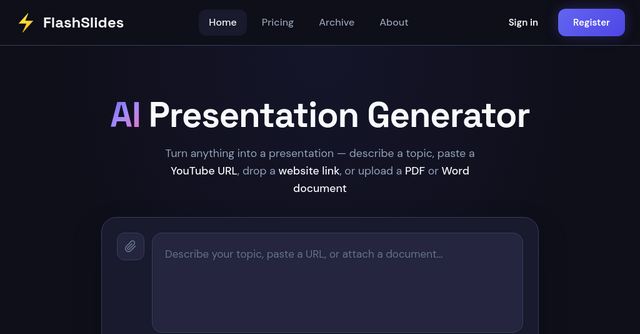
FlashSlides is a web-based AI tool that automates the entire presentation creation lifecycle. Instead of manually dragging and dropping shapes, searching for stock images, and formatting text boxes, you simply feed the AI a topic, a URL, a PDF, or even a YouTube link. Within seconds, the system generates a full deck complete with relevant content and AI-generated imagery.
It falls squarely into the website category of productivity tools, meaning there’s no heavy software to install. You just navigate to their platform, input your requirements, and export your file.
Why Indie Makers and Professionals Need This
For solopreneurs and indie makers, time is your most expensive asset. Every hour spent tweaking the font size on a slide is an hour taken away from product development, customer support, or marketing.
FlashSlides isn’t just a "nice to have"—it’s a workflow accelerator. Here is why it’s worth adding to your toolkit:
1. Multi-Format Input Flexibility
Most AI tools require you to type in a prompt. FlashSlides takes it a step further by allowing you to repurpose existing content. You can paste a YouTube URL, drop a link to a website, or upload a PDF/Word document. This is perfect for when you’ve already written the research or the blog post and just need to convert that information into a slide format for an upcoming pitch or report.
2. Rapid Generation (Under 60 Seconds)
The core value proposition of FlashSlides is speed. By automating the outline, the slide-by-slide content, and the design, it removes the "writer's block" phase of presentation building. You can generate anywhere from 1 to 50 slides in one go.
3. Native PowerPoint Export
One of the biggest frustrations with browser-based design tools is getting locked into a proprietary format. FlashSlides solves this by letting you download your creations as standard .pptx files. This means you can take your AI-generated draft into Microsoft PowerPoint or Google Slides to add those final human touches, adjust branding, or tweak the layout.
Who Should Use FlashSlides?
While the tool is powerful enough for anyone, it shines in specific professional and educational contexts:
- Startup Founders: When you’re in the middle of a fundraising sprint, you don't have time to build five different pitch decks from scratch. Use this to create foundational decks quickly so you can focus on your narrative.
- Business Professionals: Whether it’s a quarterly report or a client proposal, the professional polish provided by the AI ensures you look prepared without the manual design fatigue.
- Teachers & Educators: Creating lesson plans that actually capture student attention is a massive time sink. FlashSlides helps teachers generate visually engaging educational content, freeing up time for actual instruction.
- Students: From project reports to final class presentations, this tool can help synthesize research into a coherent, high-quality deck in minutes.
How the Process Works
Getting a deck ready is a straightforward, three-step process:
- Enter Your Topic: You can input a simple prompt (e.g., "The history of space exploration") or provide source material like a URL or document.
- Generate: Choose your desired slide count, and the AI will build the content and pair it with relevant, custom AI-generated images.
- Export: Once the deck is generated, you can download the PowerPoint file or share it with others via a unique URL.
The platform also keeps a public archive of recent presentations, which is a great place to see how others are using the tool to summarize complex topics like computer science, history, or business governance.
Is It Free?
One of the most attractive aspects of FlashSlides for the indie community is its accessible pricing model. Every user gets one free presentation per day without needing a credit card. It’s an excellent "try before you buy" approach that lets you test the quality of the AI generation before committing to a paid plan for higher-volume needs.
Final Thoughts: A Smarter Way to Work
In the world of SaaS tools, it's easy to get distracted by complex software with steep learning curves. FlashSlides is refreshing because it does one thing—creating presentations—and it does it exceptionally well.
If you find yourself dreading the "slide building" phase of your work, I highly recommend giving it a spin. It’s a low-risk way to reclaim hours of your work week.
Ready to stop manual slide building? Head over to FlashSlides today and generate your first professional deck for free. Your future self (who will be finished with their work much earlier) will thank you.