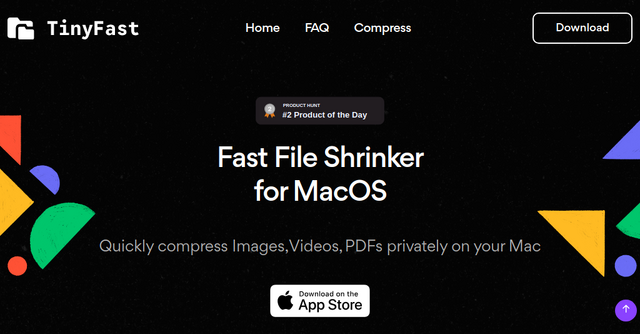
Fast File Shrinker for MacOS: Meet TinyFast—Your Go-To File Compression Tool
In the digital age, where file sizes are ballooning and storage space is at a premium, a powerful yet efficient file compression tool is a necessity for every Mac user. Enter TinyFast, a fast file compressor tool designed specifically for MacOS, offering an easy and private way to compress png, jpg, mp4, gif, pdfs, and more, directly on your Mac. Let's dive into what makes TinyFast a must-have tool in your digital toolkit.
Why Choose TinyFast?
With an array of file compression tools available, TinyFast stands out for its speed, efficiency, and privacy-focused approach. Whether you're a professional looking to shrink project files, a student aiming to reduce the size of assignments, or just someone looking to free up space on your Mac, TinyFast offers a tailored solution that meets your needs.
Key Features and Benefits
Comprehensive File Type Support
TinyFast isn't limited to just compressing images or videos; it supports a wide range of file types including PNG, JPG, MP4, MOV, GIF, and PDFs. This versatility ensures that regardless of the file you need to compress, TinyFast has got you covered.
Bulk Compression
Need to compress a large number of files at once? TinyFast excels in bulk compression, allowing you to efficiently compress folders, images, PDFs, and videos in one go. This feature is a lifesaver for those dealing with extensive collections of files, saving time and effort.
Privacy-Centric
In an era where privacy concerns are paramount, TinyFast operates with a strong commitment to user privacy. All compression tasks are performed locally on your Mac, ensuring that your files never leave your device. You can compress files with the peace of mind that your data remains secure and private.
Speed and Efficiency
At its core, TinyFast is designed to be fast. Time is precious, and waiting for files to compress can be a drag. TinyFast's optimized compression algorithms ensure that your files are shrunk quickly, without compromising on quality.
How TinyFast Can Help You
Let's explore some practical scenarios where TinyFast can make a significant difference:
-
Graphic Designers and Photographers: Compressing images without losing quality is crucial. TinyFast enables you to reduce file sizes for easier sharing with clients or for web upload, without sacrificing detail or color fidelity.
-
Video Creators: High-definition videos can take up massive amounts of space. TinyFast allows you to compress these files for easier storage or sharing online, ensuring your videos retain their clarity and resolution.
-
Students and Professionals: Whether it's compressing research papers or presentations, TinyFast helps you manage document sizes for email attachments or online submissions, making your work more accessible and easier to distribute.
-
Everyday Users: For anyone looking to free up space on their Mac, TinyFast provides a simple and effective solution to reduce the size of stored files, extending the life of your device.
Getting Started with TinyFast
Ready to take control of your file sizes? Getting started with TinyFast is simple:
- Download TinyFast: Visit https://tinyfast.app?ref=indieproducts.io to download the app and install it on your Mac.
- Select Your Files: Choose the files or folders you want to compress. TinyFast's user-friendly interface makes this process straightforward.
- Compress: With just a click, TinyFast gets to work, swiftly compressing your files while ensuring they remain high quality.
- Done: Your files are now compressed and ready for whatever you need them for, be it sharing, storage, or upload.
A Strong Call-to-Action
Don't let large file sizes hold you back. Whether you're looking to save space, share files more easily, or simply speed up your digital workflow, TinyFast is the solution you've been searching for. With its comprehensive file support, bulk compression capabilities, and privacy-centric approach, TinyFast is the fast file compressor tool every Mac user needs.
Download TinyFast today and experience the ease of managing your digital files like never before. Visit https://tinyfast.app?ref=indieproducts.io to get started.
Remember, in the world of digital files, size matters—but with TinyFast, you're in complete control.