Is Your iPhone's Hidden Folder Actually Private? Why You Need Encamera
We’ve all been there: you hand your phone to a friend to show them a picture, only to pray they don’t accidentally swipe into your personal library. Or perhaps you’re tired of the creeping realization that the "Hidden" folder on your iPhone is essentially just a folder with a slightly different lock—not a digital fortress.
Most of us have become far too comfortable with the idea that our private photos are "safe" because they are behind a passcode. But in an era where data scraping and cloud synchronization happen in the blink of an eye, the standard camera roll is a privacy liability.
Enter Encamera. This isn't just another vault app that hides photos after they've already been exposed to your system library. It’s a complete rethink of how we capture sensitive information on mobile devices.
What is Encamera?
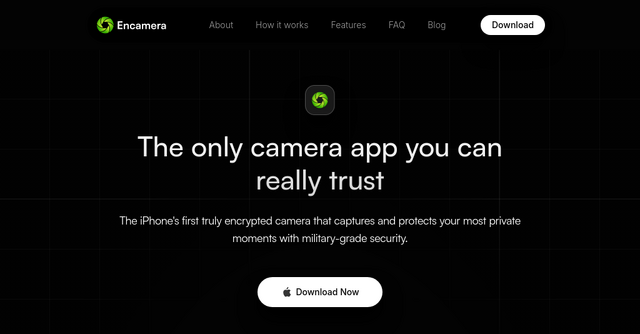
Encamera is a specialized SaaS tool designed for the privacy-conscious individual. At its core, it is the world’s first truly encrypted camera app for iOS.
Unlike traditional "vault" apps that require you to move photos from your camera roll into an encrypted folder—leaving a digital trail behind—Encamera encrypts every shutter click the moment it happens. By capturing media directly into a secure, encrypted environment, it ensures that your sensitive data never touches the unsecure folders where other apps, cloud services, or system processes might scrape it.
It is built for those who value digital sovereignty: people who want to keep their medical records, personal documents, or private memories strictly off-limits to everyone, including Apple and the developers of the app itself.
Why Traditional Vault Apps Fall Short
If you’ve searched the App Store for "photo vault," you’ve likely been met with a sea of ad-ridden, clunky, and questionable software. Many of these apps require you to create an account, upload your photos to a third-party server, or watch a 30-second advertisement before you can access your own files.
That is the opposite of privacy.
Encamera changes the game by focusing on three pillars: zero-knowledge, zero-tracking, and zero-clutter.
1. Zero-Knowledge Encryption
The app uses open-source encryption technology—the same kind used by financial institutions and governments. Because it’s open-source, you don’t have to take their word for it; the security claims are verifiable. When you store your content, you hold the keys. Even if someone were to gain access to your iCloud backup, they wouldn't find a treasure trove of images; they would find nothing but scrambled, useless data.
2. No Accounts, No Tracking
In the world of SaaS, we are used to "signing up" for everything. Encamera rejects this model entirely. There are no accounts to create, no email addresses to surrender, and no tracking pixels embedded in the software. You download the app, and you own your data. It’s a breath of fresh air in a landscape dominated by data-hungry services.
3. A Clean, Ad-Free Experience
It is rare to find a professional tool that respects your digital well-being. Encamera is completely ad-free. There are no intrusive banners, no sponsored content, and—perhaps best of all—no notifications. The app stays out of your way until you need it, operating with a "silent" philosophy that makes it feel less like a software product and more like a utility.
Key Features That Set Encamera Apart
Whether you are a solopreneur keeping sensitive business documents secure or a privacy advocate looking to lock down your personal life, Encamera offers features that solve actual, real-world problems.
Direct-to-Encryption Capture
This is the "killer feature." Most apps are reactive—they try to secure your photos after they have been taken. Encamera is proactive. By bypassing the default system album, it ensures that your sensitive media never exists in an unencrypted state on your device.
Discreet Functionality
If you need an extra layer of privacy, you can hide the app icon or disguise your secure albums. This allows you to store sensitive information in plain sight without raising suspicion, adding a layer of physical security to your digital vault.
The "Lock Screen" Advantage
One of the most praised features by users is the ability to take private photos directly from the Lock Screen. It’s a genius implementation for those moments when you need to capture information quickly—like a receipt, a private note, or a document—without needing to unlock your phone, navigate to an app, and wait for it to load.
iCloud Sync (On Your Terms)
While many privacy-focused tools force you to store everything locally, Encamera recognizes that you might need a backup. You can choose to store your encrypted content in iCloud, but with a catch: it remains encrypted. Even in the cloud, the files are protected by your encryption, meaning your data stays yours, even if your device is lost or damaged.
Real-World Use Cases
Who is this tool actually for? The feedback from the community suggests a few primary groups:
- The Privacy-First Professional: If you deal with sensitive contracts, NDA documents, or business assets that shouldn't be sitting in a standard photo library, Encamera provides a secure, air-gapped-feeling environment for those files.
- The Digital Minimalist: Users who are tired of bloated, ad-heavy apps will appreciate the focus on simplicity. It does one thing, and it does it perfectly.
- The Security-Conscious Traveler: When traveling, you often have to take photos of identification, passports, and travel documents. Storing these in your main gallery is a security risk. Using Encamera allows you to keep those documents safe and encrypted while you're on the go.
Final Thoughts: Should You Switch?
If you are currently using the standard iOS Photos app to store anything that you wouldn't want a stranger to see, you are overdue for an upgrade in your security stack.
Encamera succeeds because it doesn't try to be a social network, a photo editor, or a cloud platform. It is a dedicated security tool that respects the user. By removing the friction of account creation and the danger of unencrypted storage, it provides the peace of mind that most of us are missing in our digital lives.
If you’re ready to take control of your personal data and stop relying on default settings that weren't designed with true privacy in mind, it’s time to give Encamera a try.
Ready to secure your moments? Download Encamera today and experience what it feels like to have a truly private camera in your pocket.