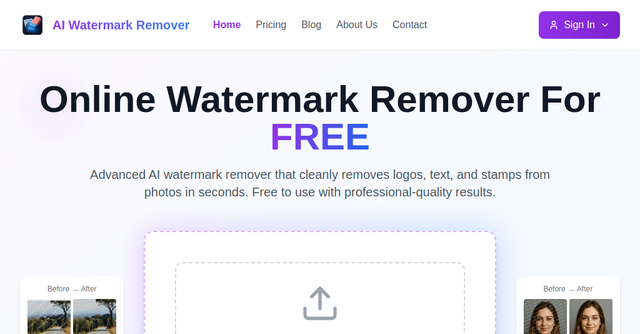
How to Effortlessly Clean Your Images: A Review of AI Watermark Remover
We’ve all been there: you finally find the perfect stock photo for a presentation, or you’re digging through your archives for an old photo, only to realize there’s a distracting watermark, a date stamp, or a stray logo plastered across the center. Manually removing these in Photoshop takes time, patience, and a fair bit of technical skill that many of us simply don’t have when we’re in the middle of a project.
Enter Ai Watermark Remover. This SaaS tool has been making waves in the indie maker community for one simple reason: it takes a task that used to take twenty minutes and turns it into a five-second, automated process.
What is AI Watermark Remover?
At its core, this is a specialized SaaS platform designed to detect and remove overlays—like logos, text, stamps, and watermarks—from images using advanced artificial intelligence. Unlike traditional editing software that requires you to carefully clone stamp or mask out unwanted elements, this tool uses inpainting models to "guess" what should be behind the watermark and reconstructs the image automatically.
For solopreneurs, e-commerce store owners, and content creators, this is essentially a productivity hack. It removes the friction of image editing, allowing you to focus on the creative side of your business rather than getting bogged down in pixel-perfect cleanup.
Why This Tool Stands Out
There are plenty of image editors out there, but most are bloated with features you don’t need. When you’re looking for a specific utility, you want something fast, focused, and reliable. Here is why this particular tool has earned its spot on the IndieProducts.io directory.
Smart AI Detection
The biggest hurdle with automated removal is the "blur" effect. Often, AI tools leave behind a smudge that looks worse than the watermark itself. The technology behind Ai Watermark Remover is surprisingly refined. It automatically identifies the overlay without you having to manually select the area, preserving the resolution, colors, and fine details of the original image.
Lightning-Fast Processing
Time is money for indie makers. You don't want to wait for heavy software to load or deal with complex export settings. This tool operates entirely online, and the processing time typically takes between 5 and 15 seconds. You drag, drop, and download. It’s that simple.
Privacy-First Approach
We know that for many business owners, intellectual property and image privacy are non-negotiable. The developers behind this SaaS have built in a clear policy: images are processed safely. For anonymous users, files are deleted after processing, ensuring your content doesn’t linger on their servers unnecessarily.
Practical Use Cases for Indie Makers
You might be wondering where this fits into your daily workflow. Based on the common pain points of our community, here are a few scenarios where this tool becomes indispensable:
1. E-commerce Product Photography
If you’re sourcing product images or working with vendors who provide photos with their branding, you need a clean slate for your storefront. Removing those logos ensures your brand remains the focus, giving your site a more professional, cohesive look.
2. Streamlining Presentations
Whether you’re pitching to investors or creating a deck for a client, nothing kills your credibility like a "Sample" watermark on a high-quality image. Using this tool allows you to repurpose existing assets without having to hunt for expensive, royalty-free alternatives.
3. Cleaning Up Legacy Assets
We all have those old photos from the early 2000s with annoying date stamps in the corner. If you’re building a personal brand or a portfolio, removing those visual distractions makes your content feel modern and intentional.
How to Get Started
The barrier to entry is almost non-existent. Because it’s a web-based SaaS, there is no software to install or license keys to manage.
- Upload Your Image: Head over to the website and drag your file into the browser. It supports all the standard formats like PNG, JPG, JPEG, WebP, and HEIC.
- Let the AI Work: Once uploaded, the system automatically detects the watermark and reconstructs the background.
- Download: Grab your clean, high-quality result instantly.
The best part? You don’t need to commit to a subscription immediately. They offer the first removal for free, which is perfect for testing the quality on your specific images before deciding if you want to buy credits for long-term use.
The Verdict: Is It Worth It?
For anyone who works with images regularly, Ai Watermark Remover is a classic example of a "set it and forget it" tool. It solves one specific problem extremely well.
If you find yourself manually editing out logos or text more than once a week, the time savings alone make the credit-based pricing model ($10 for 100 removals) a steal. It’s an efficient, privacy-conscious, and high-performance tool that deserves a place in your digital toolkit.
Ready to clean up your visual assets? Give it a try today and see how much time you can reclaim in your design workflow.