Stop Manual Data Entry: Why BudgetSheet is the Ultimate Finance Tool for Indie Makers
If you’ve ever spent a Sunday evening manually exporting CSV files from your bank, cleaning up the formatting, and painstakingly pasting them into a spreadsheet just to see where your money went, you know the pain. For indie makers and solopreneurs, time is your most valuable asset. Spending it on data entry is the exact opposite of scaling your business.
That’s where BudgetSheet enters the picture. It’s a powerful tool that bridges the gap between your financial institutions and the flexibility of your own Google Sheets environment.
What is BudgetSheet?
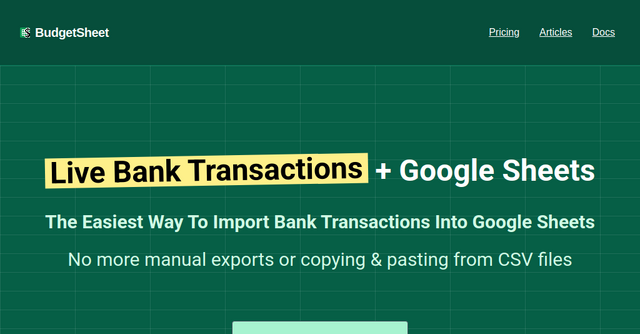
BudgetSheet is a specialized Google Sheets extension designed to solve one specific, massive headache: importing live bank transactions automatically.
Unlike rigid budgeting apps that force you into their proprietary UI or limit how you view your data, BudgetSheet is built for those who prefer to "budget their own way." It’s not just another finance app; it’s a data pipe that feeds your raw, real-time financial data directly into a spreadsheet you already own and control. By leveraging Plaid for secure connections, it acts as a bridge, ensuring your bank data flows into your rows and columns without you ever having to touch a CSV file again.
Why Indie Makers Need This Tool
When you’re running a side project or a solo SaaS business, you likely have multiple accounts: personal checking, business savings, credit cards for server costs, and maybe even investment accounts. Keeping track of these across different bank websites is a recipe for burnout.
BudgetSheet is perfect for the "spreadsheet-first" crowd—people who love the power of pivot tables, custom charts, and the ability to run custom scripts. If you’ve ever felt limited by the automation features of tools like Mint or YNAB, BudgetSheet gives you the keys to the kingdom. You are the source of truth, not a third-party app’s algorithm.
Key Features That Make a Difference
The strength of this tool lies in its simplicity. Here is a breakdown of what makes it a must-have for your productivity stack:
Automated Transaction Imports
The core functionality is simple: it fetches your transactions nightly. You wake up, open your Google Sheet, and the previous day’s data is already there. No more manual exports, no more copy-pasting, and no more human error.
Live Balance Tracking
It’s not just about transactions. BudgetSheet pulls live account balances for checking, savings, credit cards, loans, and mortgages. Having this data in your sheet allows you to build custom dashboards that track your net worth or business runway in real-time.
Investment Tracking
For many solopreneurs, retirement planning and personal investing are part of the broader financial picture. BudgetSheet supports the import of holdings and balances from brokerage accounts, allowing you to see your entire financial life in a single, unified document.
Total Flexibility
Because your data lands in a plain Google Sheet, you aren't forced into someone else's idea of a "budget." You can use any formula, pivot table, or chart you like. If you have a custom script that categorizes your expenses based on specific keywords, you can run it on the data BudgetSheet provides.
Practical Use Cases for Your Business
How does this actually look in practice for a developer or founder?
- The "Runway" Dashboard: Use the automated balance tracking to create a simple line chart in Google Sheets that shows your business runway over the last 12 months. It’s a great visual for when you’re planning your next big feature push.
- Custom Expense Categorization: If you have specific, recurring business costs (like AWS, Stripe fees, or SaaS subscriptions), you can set up a "lookup" table in a separate tab of your spreadsheet. BudgetSheet pulls the data, and your formulas automatically categorize the costs for your tax preparation.
- Automated Notifications: Because the data is in Google Sheets, you can use built-in tools like Apps Script or external integrations like Zapier to alert you via Slack or email if your business checking account balance drops below a certain threshold.
Security and Trust: How It Works
One of the first questions any tech-savvy user asks is, "Is this safe?" BudgetSheet handles your data with a "privacy-first" mindset.
They do not store your bank passwords or login credentials. Instead, they use Plaid—the industry standard for financial data connectivity—to handle the handshake between your bank and your spreadsheet. BudgetSheet only stores a read-only access token for your accounts, which is encrypted at rest. Furthermore, they don't even store your transaction data in their own database; the data passes through their system directly into your Google Sheet, which remains the sole "source of truth."
From a technical perspective, the platform uses PCI and SOC (1, 2, and 3) compliant AWS services, ensuring that your financial data is handled with the same security standards used by major financial institutions.
Getting Started with BudgetSheet
The barrier to entry is incredibly low. Because it exists as a Google Workspace Marketplace extension, you don’t need to install complex software or manage a server.
- Enable the Add-on: Install the BudgetSheet extension from the Google Workspace Marketplace.
- Setup Everything: Open any Google Sheet and run the setup process through the Extensions menu.
- Link Accounts: Use the "Link New Account" feature to connect your banks via Plaid.
- Fetch Data: Run the "Fetch Latest Bank Transactions" command. You can even toggle "Autofetch" to ensure the process runs nightly without you lifting a finger.
BudgetSheet also provides a wealth of resources, including free spreadsheet templates, documentation, and a blog, to help you get the most out of your data.
Is This the Right Tool for You?
If you are currently paying for a budgeting app that you can’t customize, or if you’re manually managing your business finances in a spreadsheet, BudgetSheet is a massive quality-of-life upgrade.
It’s priced at $59 per year, which is a small price to pay for the hours of manual labor you’ll save annually. Plus, they offer a 15-day free trial with no credit card required, so you can test it out and see if the data flow fits your current workflow.
Stop fighting with CSV files and start focusing on what really matters: building your business. Head over to BudgetSheet today, grab your 15-day free trial, and finally turn your Google Sheets into the powerful financial command center you’ve always wanted.