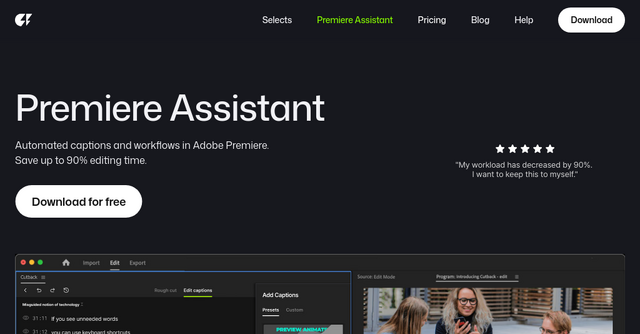
Stop Scrubbing Timelines: How Premiere Assistant is Changing Video Editing for Indie Creators
We’ve all been there. You’ve just finished a long-form interview or a podcast recording, and you’re staring at an hour of raw footage. You know the gold is in there, but between the "ums," the awkward silences, and the tedious process of manual transcription, the prospect of starting the rough cut feels like an uphill battle. You didn’t get into video production to spend four hours deleting dead air—you got into it to tell stories.
For indie makers and content creators, time is the most expensive resource. Every hour spent on a mechanical, repetitive task is an hour stolen from your creative output. This is exactly where Premiere Assistant comes in. As an AI-powered plugin built specifically to live inside Adobe Premiere Pro, it’s designed to automate the "boring stuff," letting you get to the finished product in record time.
What is Premiere Assistant?
Premiere Assistant is a powerful SaaS tool that bridges the gap between raw footage and a polished rough cut. Unlike external web-based editing platforms that force you to export, upload, and re-import your files, this is a native plugin. It integrates directly into your existing Adobe Premiere Pro workflow.
It’s built for the editors who are tired of manual scrubbing. Whether you are running a production studio, working as a freelancer, or building a YouTube channel, the goal here is simple: turn hours of manual labor into minutes of refined storytelling.
Why This SaaS Tool is a Game-Changer for Editors
The core philosophy behind Premiere Assistant is to eliminate the friction between your intent and the timeline. By automating early-stage editing tasks, it keeps you in the "flow state" longer. Here are the features that actually move the needle for your daily workflow.
Text-Based Editing and Transcription
Transcription is no longer just for accessibility; it’s your new editing interface. With Premiere Assistant, you can transcribe your footage with high accuracy and edit your video as easily as you’d edit a Google Doc. If a sentence doesn't work, you delete the text, and the corresponding video clip vanishes from your timeline. This is a massive time-saver for talking-head content and podcasts where the content is driven by the dialogue.
Intelligent Silence Removal
We’ve all spent time manually cutting out the gaps where the speaker paused to think or breathe. Premiere Assistant automates this by finding and cutting out all silent parts across multiple video and audio tracks. It’s precise, it handles hours of footage effortlessly, and it saves you from the monotony of frame-by-frame cleaning.
Automated Multi-Cam Switching
If you’re editing multi-cam interviews, you know the pain of manual switching. Premiere Assistant automates this process by analyzing the audio tracks and switching to the active speaker automatically. It handles the track management so you don't have to, ensuring your sequence remains clean and organized without the manual labor.
Visual Enhancement and Motion Graphics
Beyond the cut, the plugin helps you polish the look of your video. With one-click background removal, you can create depth effects instantly. It also provides a suite of motion presets—pop, jiggle, bounce—that allow you to animate text, images, and video clips without needing to be a motion graphics expert.
Practical Use Cases for Your Workflow
How does this actually fit into your day-to-day? Let’s look at two common scenarios where this SaaS integration shines:
The Podcast/Interview Workflow: You have a 60-minute raw video of a guest. Instead of listening to the whole thing and marking timestamps, you run the transcription. You use the AI to identify highlights or remove dead air. You then use the "edit by text" function to remove the filler words and tighten the pacing. Within minutes, you have a solid rough cut that would have taken an hour of manual scrubbing.
The Short-Form Content Factory: If you are repurposing long-form content into shorts for TikTok or Reels, the struggle is finding the best clips. Premiere Assistant helps you chat with the AI to select the best takes and automatically find highlights, making the creation of short-form vertical video significantly faster.
Why Indie Makers are Choosing This Plugin
The professional editing community has been quick to adopt this tool. We’ve seen feedback from top-tier creators—such as the folks at VIDEOCLASS and Studio MODAK—who have integrated the tool into their professional pipelines.
The beauty of this product is that it respects your current setup. You aren't being asked to switch to a new, inferior video editor. You are simply adding a "superpower" layer to the Adobe Premiere Pro you already know and love. It’s a classic example of a SaaS tool that solves a specific, painful problem for a niche audience, making it an essential addition to any creator's toolkit.
Final Thoughts
If you find yourself dreading the "rough cut" phase of your video projects, it’s time to stop doing the work that a machine can do for you. By automating the transcription, silence removal, and multi-cam switching, you regain the freedom to focus on the creative side of your storytelling—the pacing, the narrative arc, and the final polish.
Whether you are a solo creator or managing a team of editors, Premiere Assistant offers the kind of efficiency that pays for itself in just a few projects.
Ready to reclaim your editing time? Head over to the Premiere Assistant website to explore their plans and see how their AI-powered automation can transform your workflow today.