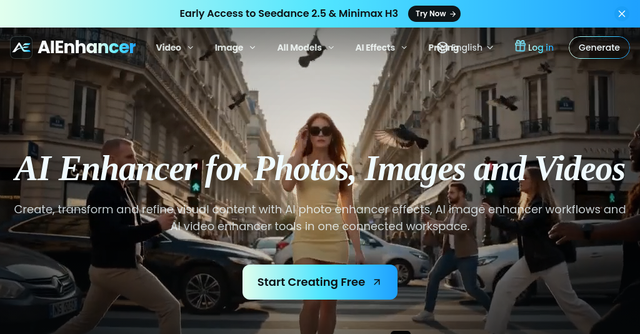
Stop Switching Tabs: AIEnhancer Is the Unified Workspace Your Creative Workflow Needs
Managing a modern creative workflow often feels like juggling a dozen different subscriptions. You have one tool for image upscaling, another for text-to-video generation, and a third for managing your assets. By the time you’ve moved a file from one browser tab to another, you’ve lost the creative momentum that started the project in the first place.
For indie makers, solopreneurs, and small teams, the barrier to entry isn't just the cost of these tools—it’s the mental overhead of learning five different interfaces. This is exactly where AIEnhancer steps in. It isn’t just another AI wrapper; it’s a centralized SaaS platform designed to consolidate your entire visual production pipeline into one browser-based workspace.
What is AIEnhancer?
AIEnhancer is an all-in-one AI creative platform that bridges the gap between raw ideas and polished assets. Instead of forcing you to choose between individual model providers, it acts as a routing engine. It allows you to access production-tested models like Seedance, Veo, Kling, Sora, Wan, Hailuo, Runway, and Nano Banana from a single interface.
Whether you are a marketer looking to churn out ad variations, a designer refining image assets, or a creator experimenting with AI video, this tool removes the friction of jumping between platforms. By keeping your prompts, references, model choices, and finished assets in one library, it turns a scattered process into a repeatable, scalable workflow.
Key Features That Change the Game
What sets AIEnhancer apart in the crowded SaaS landscape is its focus on "outcome-first" creation. Rather than forcing you to navigate complex API settings or provider-specific dashboards, it simplifies the technical side of AI generation.
1. Model-Agnostic Routing
One of the biggest headaches in AI today is keeping up with which model is best for which task. AIEnhancer solves this by letting you choose the outcome first. You select the result you want—be it a specific video style or an image transformation—and the platform matches your needs with the appropriate model. If your preferred route isn’t available, it offers a safe fallback, ensuring your project doesn’t stall.
2. The Shared Asset Library
For small teams and solopreneurs, organization is the difference between a project and a mess. Every piece of content you generate—whether it’s a text-to-image output or a frame-to-video conversion—is automatically stored in a shared asset library. This means you can easily revisit successful generations, compare model outputs side-by-side, and keep your creative assets organized without needing a secondary cloud storage tool.
3. Workflow-Specific Effects
AIEnhancer isn't just for general generation. It features over 172+ templates and effects, ranging from practical restoration tools like "Old Photo Restoration" and "Deep Nostalgia" to experimental creative tools like "AI Dance," "AI Headshot," and "AI Anime to Real Life." These repeatable formats allow you to maintain a consistent brand style across multiple pieces of content without rebuilding your workflow from scratch every time.
Practical Use Cases for Indie Makers
If you’re wondering how this fits into your daily grind, consider these three scenarios:
The Content Creator's "Repeatable" Loop If you run a social media account, you know that consistency is king. Using AIEnhancer’s focused Effects, you can create a specific visual format—like an "AI Life 4 Cuts" or a branded "AI Video Ad"—and apply it to new assets instantly. Because your process is saved in the platform, you don't have to remember your prompt settings or model parameters; you just plug in your new reference and generate.
The Marketer’s Multi-Model Comparison Campaign testing usually requires generating dozens of variations. With AIEnhancer, you can compare production-tested models like Veo 3.1 and Nano Banana 2 in one go. You can review credit costs before you hit generate, ensuring you stay within your budget while testing different visual directions for your next campaign.
The Memory Keeper’s Restoration For those using AI for personal projects, the platform offers powerful tools for family-photo restoration. By combining these with animation tools like "Live Portrait," you can turn static, aging photos into moving memories, all within a single interface that handles the heavy lifting for you.
Why This Matters for Your SaaS Stack
As an indie maker, your most valuable asset is time. Every minute spent "wrestling with providers"—dealing with inconsistent UIs, managing separate subscriptions, or downloading and re-uploading files—is a minute taken away from building your business.
AIEnhancer categorizes itself as a high-utility SaaS tool that focuses on efficiency. By providing a unified workspace, it helps you:
- Scale your output: Produce more campaign variants without the manual labor.
- Reduce costs: Manage your credit usage transparently with cost previews before every generation.
- Maintain quality: Access elite models like Sora and Kling without needing a dedicated subscription for each one.
Getting Started
The platform operates on a freemium model, making it an accessible entry point for creators who want to test the waters before committing. With paid plans starting at just $9.90, it’s positioned to grow alongside your needs.
If you are tired of the "tab fatigue" that comes with modern creative work, it’s time to consolidate. Visit AIEnhancer today to explore their library of models and see how a unified workspace can speed up your creative process. Whether you’re scaling a brand, building a content pipeline, or just experimenting with the latest in AI, this platform gives you the controls you need without the complexity you don't.